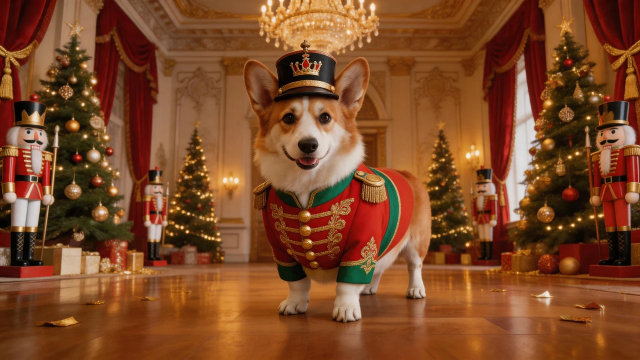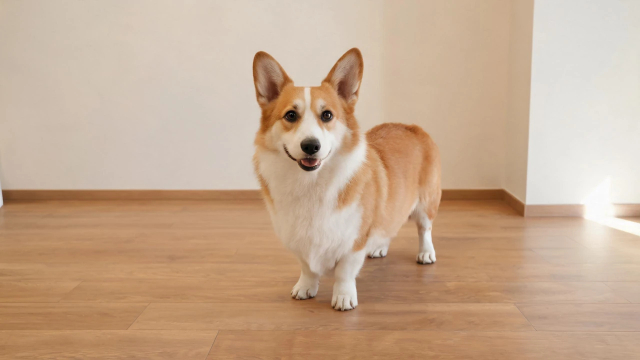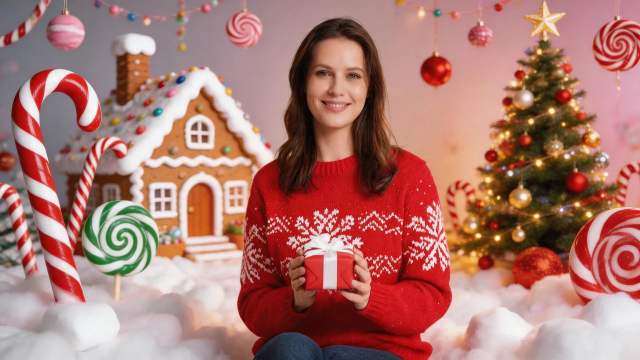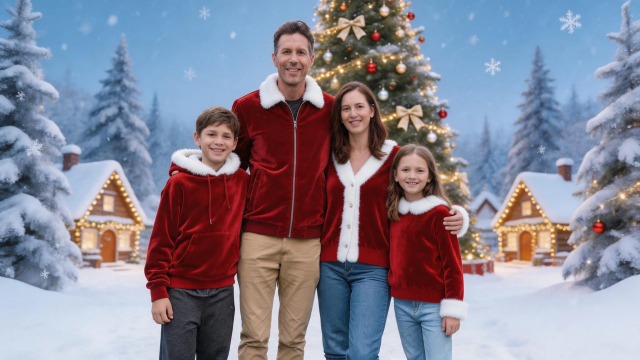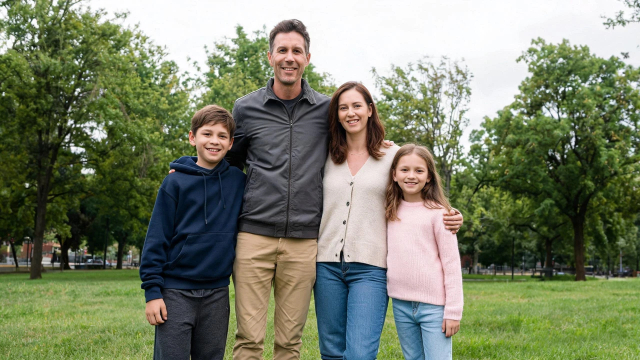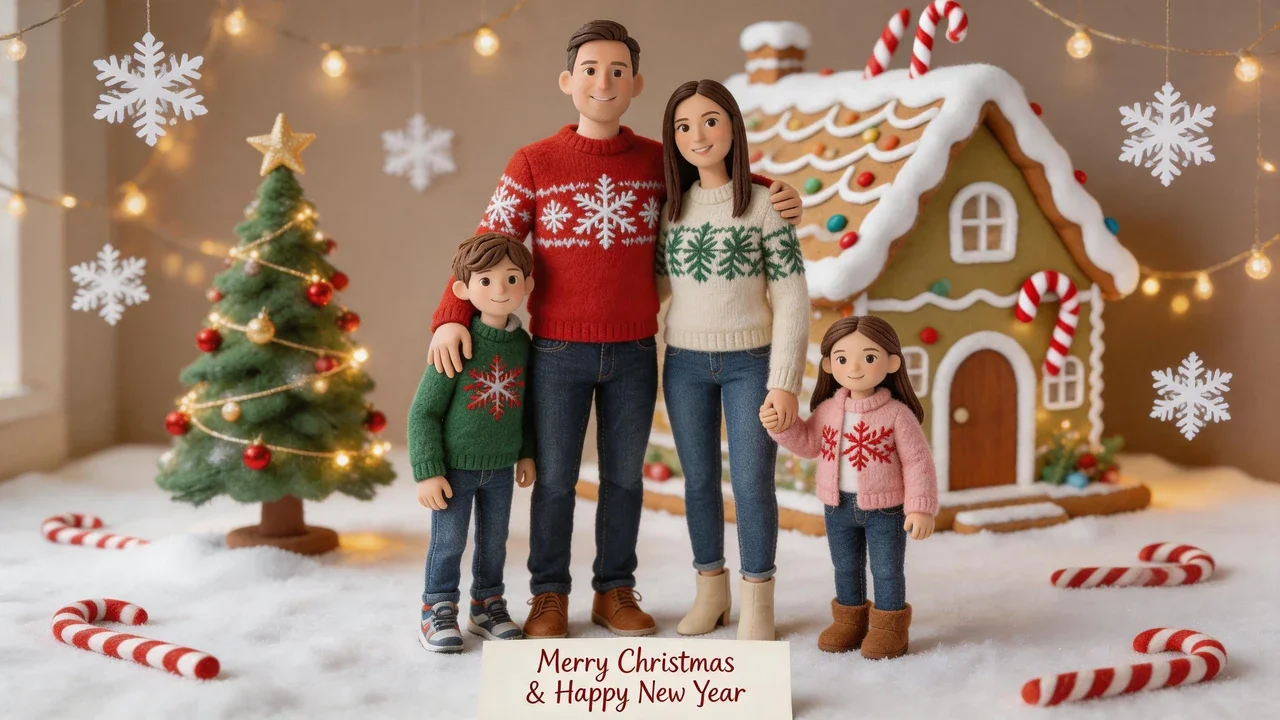

The original family photo, ready to become a personalized Christmas card.
The transformed family portrait as a magical Christmas storybook card with a space for a personal greeting.
Turn an everyday family picture into a magical Christmas card with an AI Christmas card generator. Upload a photo and transform it into a detailed storybook-style Christmas illustration featuring festive knitted sweaters, gingerbread houses, sparkling snowflakes, glowing Christmas trees, and warm golden lights. The result keeps your family recognizable while reimagining the setting as a handcrafted winter wonderland. A clean area at the bottom is reserved for your own holiday greeting, so the finished card feels personal and ready to share.
Transform the uploaded family photograph into a magical Christmas storybook illustration with a handcrafted stop-motion aesthetic. Keep all four family members recognizable, preserving their facial identities, hairstyles, ages, and relative positions. Turn their outfits into beautiful festive red, emerald green, and cream knitted Christmas sweaters. Surround them with an enchanting miniature winter wonderland, giant gingerbread houses, candy canes, sparkling snowflakes, glowing Christmas trees, tiny handmade ornaments, and warm golden fairy lights. Rich textures resembling handcrafted felt, clay, and paper decorations, whimsical cinematic lighting, magical festive atmosphere, incredibly detailed Christmas card artwork. Reserve a clean space at the bottom for a greeting.An AI Christmas card generator turns an ordinary picture into a festive card design without requiring graphic design skills. Start with a photo of your family, partner, or pet, then give it a seasonal look with an illustrated setting, Christmas decorations, and a space for your own message. Instead of choosing fonts and arranging layers manually, you can create a finished Christmas card image from a single upload.For this example, a natural family photograph becomes a magical Christmas storybook illustration with a handcrafted stop-motion aesthetic. The four family members remain recognizable, with their facial identities, hairstyles, ages, and relative positions preserved. Their everyday winter clothes become festive red, emerald green, and cream knitted sweaters. Around them, a miniature winter wonderland takes shape, featuring gingerbread houses, candy canes, sparkling snowflakes, glowing Christmas trees, tiny handmade ornaments, and warm golden fairy lights. Felt, clay, and paper-like textures give the artwork a charming handcrafted appearance.The design leaves a clean area at the bottom for a greeting. The generator creates the card artwork, but does not write the message for you. Add your own words afterward to make the result personal. This also means you can use the same image for different recipients and customize each greeting separately.You can make Christmas cards from a photo you already have. A clear selfie works well for a card featuring one or two people, while a wider family shot gives everyone room in the composition. Pet photos can also become distinctive holiday cards. Choose an image where the main subjects are easy to recognize and avoid cropping important faces or details.A Christmas card template is useful when you want to edit a layered design yourself. An AI-generated card is a different option: it creates a complete image around your uploaded picture, ready to download and share. Choose a portrait layout for a traditional card, a square composition for social posts, or a landscape layout for a wide group portrait.Once your Christmas card is ready, download the image and add your greeting in an image editor if needed. The 2K PNG output is suitable for digital sharing and can also be printed at a common 5×7 size. You can send it in a family group chat, include it in a holiday message, or take it to a local print shop. For more ways to transform your original picture into festive artwork, visit the Christmas Photo Generator and explore its Christmas styles. Your photo provides the starting point; the finished card brings the holiday atmosphere.
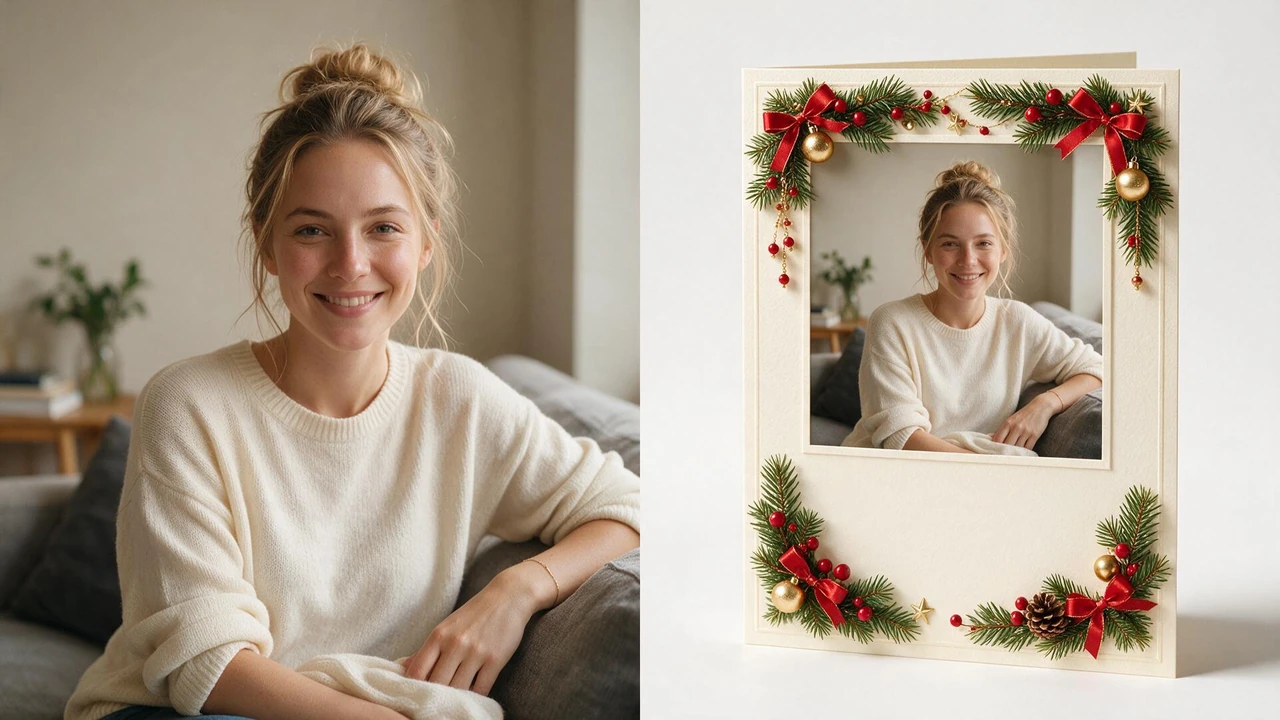
Select the prompt below, then copy and paste it into your AI image generator.
Most people who start looking for a Christmas card end up on a printer's site, upload a photo, pick a template, and pay. That works — if you want paper in the mail. But a lot of people just want the picture: something to text to family, post in a group chat, or drop into a message on Christmas morning. That's the gap this page is about. You already have the photo. What you don't have is the card around it.
An AI christmas card generator takes one photo you upload and places it inside a finished card design — a border, a decoration or two, and a calm area where text can go. You do not pick fonts, you do not drag layers around, and you do not need to know what a safe margin is.
Two things are worth being precise about, because most people expect the opposite:
A run takes somewhere between twenty seconds and a minute. You get back a finished image, not a layered file.
Select the prompt below, then copy and paste it into your AI image generator.
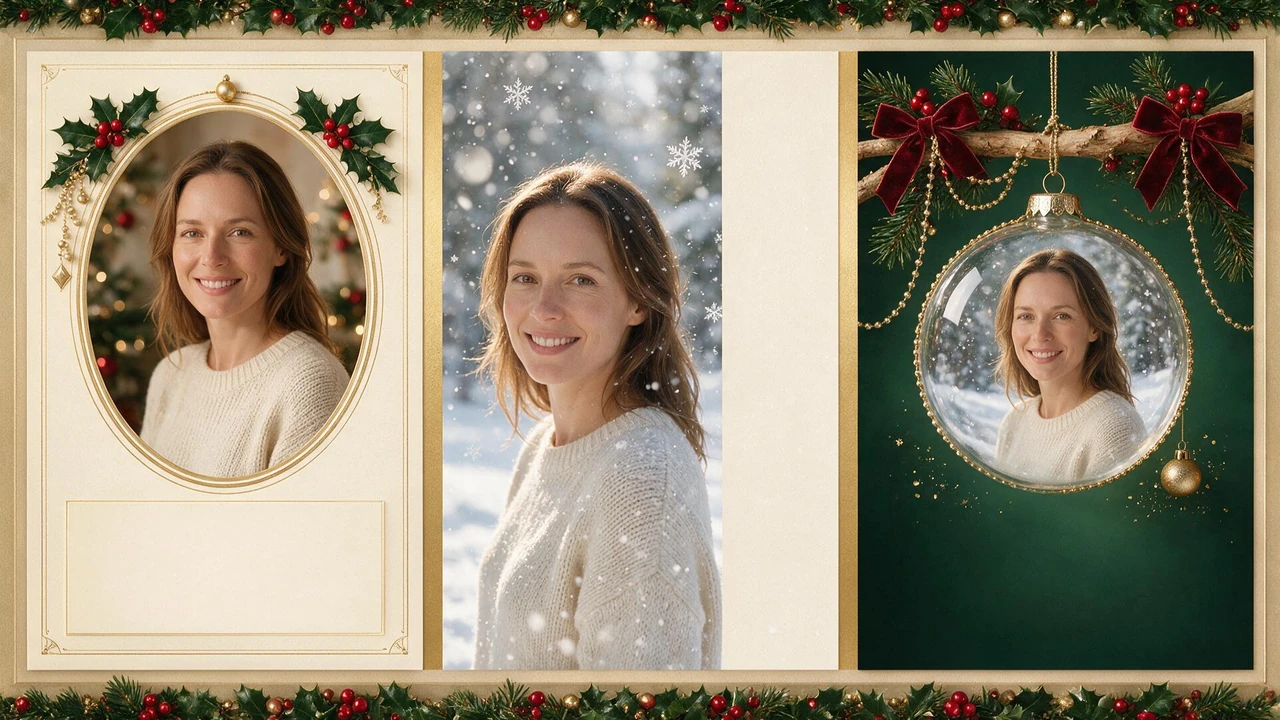
Almost every christmas card template you've seen falls into one of three shapes. Knowing which one you want before you start saves you three of four attempts.
Classic frame. A clean border, a small corner decoration, and a wide blank band under the photo. This is the safest choice and the one most people actually send. If you want to see how far a frame treatment can go before it stops looking like a card, our Christmas photo frame page pushes that idea further — worth a look if the plain border feels too quiet.
Falling snow. The photo stays sharp, soft snow is layered in front of and behind it, and the blank space moves to one side. Good for a photo taken outdoors or one with a lot of empty sky.
Ornament. The photo is set inside a bauble hanging against a dark background. The most decorative of the three, and the one that works worst with a busy photo.
If you'd rather build the whole scene instead of just the card around it, start from a Christmas photo background and bring the result back here to wrap it.
You don't need a new photo for this. The best card photos are usually the ones already sitting in your camera roll from earlier in the year.
Front-facing, decent light, nothing else in frame. The ornament style handles a tight selfie better than a frame does, because a frame needs some background to breathe.
The one from the summer where everyone is actually looking at the camera. Group photos work best in landscape with the card space underneath. If your family photo needs the seasonal treatment first — hats, lights, snow — do that pass first, then come back and put the card around it.
Pets are the most forgiving subject there is, and the least served by printers. A dog in a card beats a posed family shot more often than people admit.
When you order christmas cards online from a print shop, you're buying three things bundled together: the design, the paper, and the shipping. Doing it yourself unbundles them.
| Category | Print shop | Doing it here |
|---|---|---|
| Design | Pick from their library | Generated around your photo |
| Paper | Included | You choose, or none at all |
| Delivery | Days to weeks | Instant download |
| Cost | Per card, per person | One image, reuse freely |
| Message | Often printed | Always yours to add |
The trade is real in both directions. A print shop gives you a physical object and takes the work off your hands. Doing it yourself gives you speed and no per-card cost, but you own the printing step if you want paper.
Worth saying plainly: if the goal is thirty cards in envelopes by December 20th, use a printer. If the goal is one card that goes out in a group chat tonight, this is faster and free.
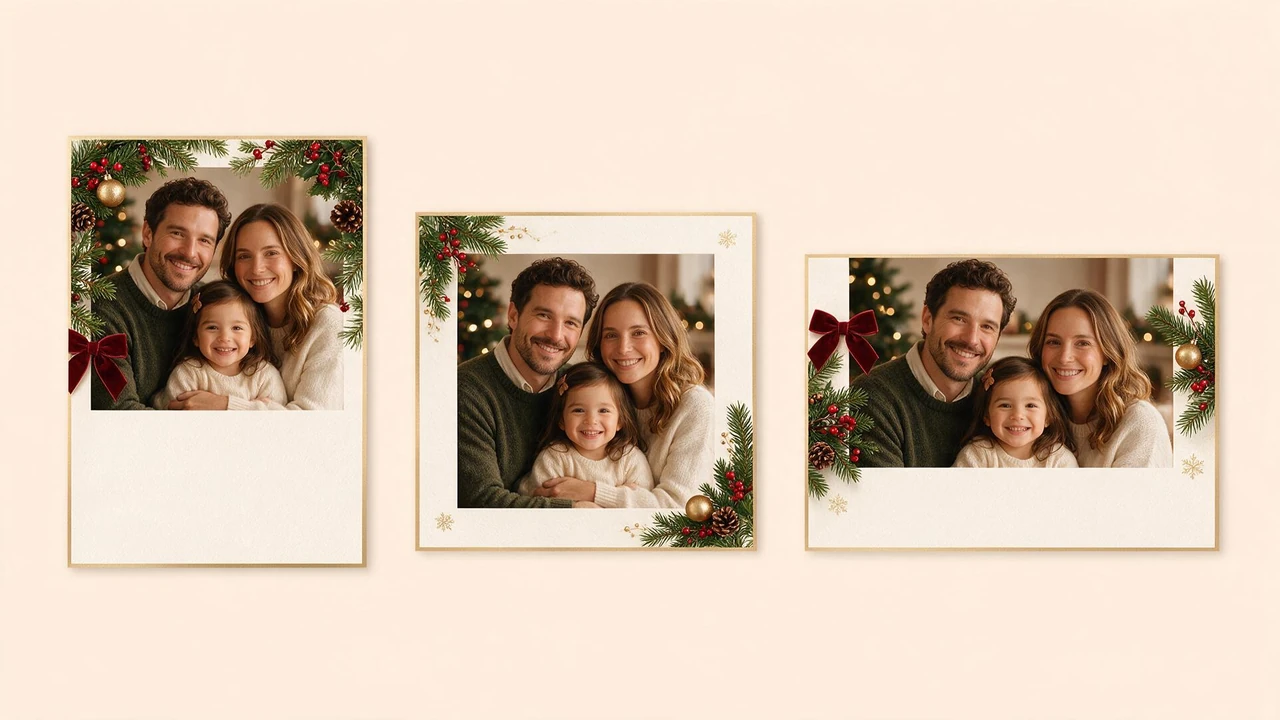
Select the prompt below, then copy and paste it into your AI image generator.
You can make a christmas photo card in any of the three standard shapes, and picking the right one up front avoids a re-run.
If you're printing, decide the print size first and match the shape to it. If you're sending digitally, square is almost always the right answer.
Searching for a free christmas card maker usually means one of two things, and they lead different places.
You want the image, and you want it free. That's this page. One photo in, one card image out, no watermark, no account, no per-card charge.
You want a template you can edit and print. That's a different job. What you actually want is a christmas card template file — a layered design you open in an editor and change the text inside. If that's your situation, a template is the right tool and a generator isn't; the only thing a generator gives you there is a starting image.
Being clear about which one you want saves an hour. Most people who think they need a template just want the picture.
Everything here comes back as a 2K PNG with no watermark, which is high enough to print at 5×7 without visible softness and more than enough for anything on a screen.
The handoff is simple:
If you want the card version specifically, the card look is one of the presets inside the AI Christmas Photo Generator — one photo in, twenty to sixty seconds, a finished image out. The card preset is the one that leaves the message space; the others fill the frame edge to edge.
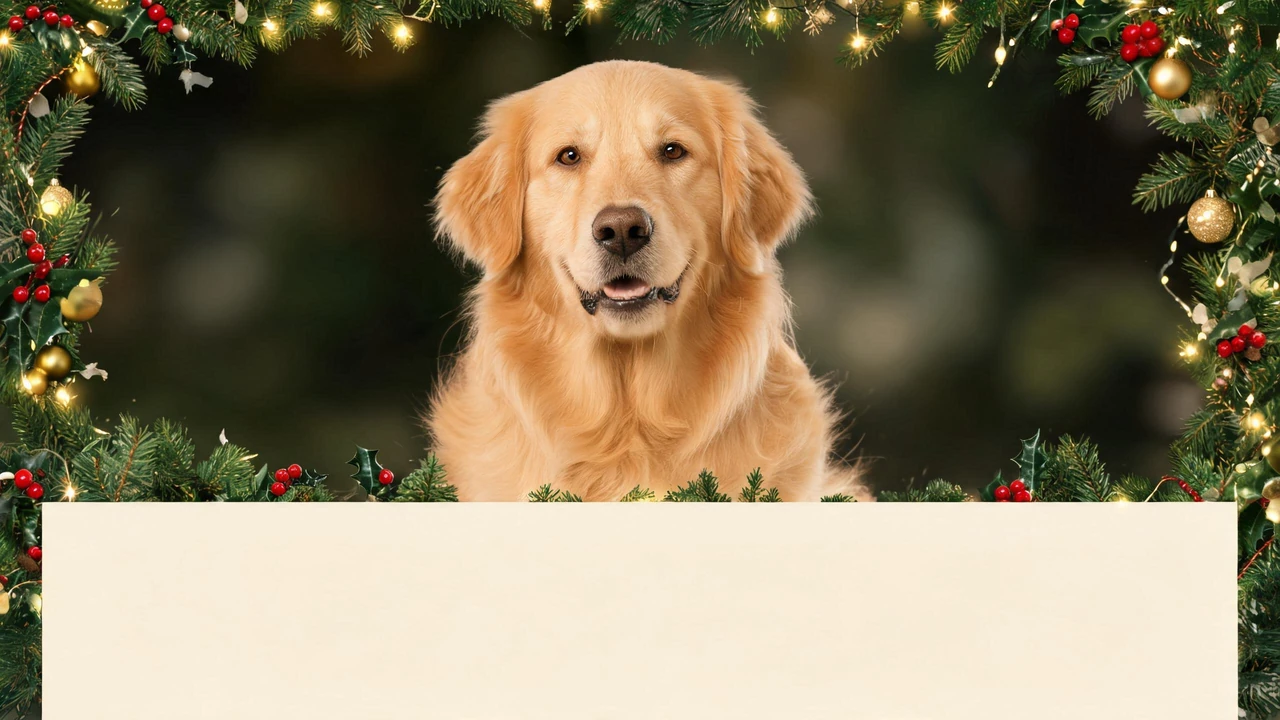
Select the prompt below, then copy and paste it into your AI image generator.
Some use cases come up far more often than others, and they behave differently.
Couples. Two people, one photo, landscape. The most common shape by a wide margin.
Families with young children. Photo quality matters less than getting everyone in frame at once. Shoot wide, crop later.
Pet owners. A cat christmas card or a dog christmas card is the single most reliable subject for this — pets don't blink, don't look away, and don't need to be persuaded. A pet christmas card also tends to be the one people actually keep.
Grandparents. Worth making in portrait and worth printing, because this is the audience most likely to want the physical version.
Anyone sending one card to one person. The whole point of doing it this way is that there's no minimum order and no per-card cost.
No. Upload, generate, download.
No. It leaves a blank area for text. The words are yours — that's deliberate, because generated greetings read like generated greetings.
Yes. Run the same photo through different card styles and pick afterwards. There's no per-image charge.
It fits your photo into the card shape you choose. Shoot slightly wider than you think you need and nothing important gets lost.
Yes. 2K PNG prints cleanly at 5×7. Add text first if you want a message on the printed card.
Then a template is the right tool, not a generator. The two solve different problems — see the section above.
Yes, in the browser. No app to install.
No.
The photo you'd use is already on your phone. The only missing piece was the card around it, and that takes less than a minute. Pick the style, upload the shot, add your own words in the space left for them.