
Before: a red-sweater portrait in a beige Christmas studio with a wreath and a small tree.
After: the same portrait in a magical candyland filled with oversized sweets and a glowing Christmas tree.
A Christmas photo background can turn an ordinary portrait into a festive scene without changing the person in the photo. In this example, a woman wearing a red knitted sweater holds a small gift box in a simple beige studio. The original portrait is transformed into a magical Christmas candyland filled with giant striped candy canes, oversized peppermint lollipops, colorful gingerbread houses, soft marshmallow snow, sparkling pink and red decorations, and a towering illuminated Christmas tree.. . Upload a photo you already have and replace the setting behind the subject with a Christmas scene. Keep the face, identity, hairstyle, clothing, hands, gift box, proportions, and pose consistent while creating a richly detailed background with vivid colors and luxurious studio-style lighting. This is for people who need a Christmas background for pictures they have already taken, not a stock image to download or a physical backdrop for a new shoot.
Transform the entire background of the uploaded portrait into a luxurious, dreamy Christmas candyland wonderland. Preserve the original American woman exactly as she appears in the input photo, keeping her facial features, identity, hairstyle, red knitted Christmas sweater, hands, gift box, body proportions, natural expression, and original pose completely unchanged. Do not modify, reshape, replace, or retouch the person. Replace the simple beige studio background with a magnificent fantasy candy kingdom featuring enormous striped candy canes, oversized peppermint lollipops, colorful gingerbread houses, fluffy marshmallow snow covering the ground, sparkling pink and red Christmas ornaments, and a gigantic illuminated Christmas tree. Create a rich, immersive festive environment with vivid colors, intricate holiday decorations, magical fairy-tale atmosphere, and luxurious professional studio-quality lighting. Add realistic depth, beautiful reflections, soft atmospheric highlights, and highly detailed environmental textures. Ensure the new background blends naturally around the original subject while keeping the woman as the clear focal point. Maintain realistic photography, natural skin texture, precise subject preservation, and seamless background replacement. The final image should look like a professionally photographed portrait taken inside an extravagant Christmas candy wonderland. High-resolution photorealistic rendering, vibrant festive color grading, cinematic composition, exceptional detail, vertical 4:5 portrait aspect ratio.How to Create a Christmas Photo Background. Upload your photo without removing its background. Choose a Christmas look or describe a scene, generate the result, and download it. JPG, PNG, and HEIC are supported. The browser-based process takes 20 to 60 seconds and delivers a 2K PNG with no watermark.. . A Candyland Christmas Photoshoot Background. This example transforms a beige studio into a candy kingdom with giant candy canes, peppermint lollipops, gingerbread houses, marshmallow snow, pink and red ornaments, and a glowing Christmas tree. Keep the woman unchanged: preserve her face, identity, hairstyle, red sweater, hands, gift box, proportions, and pose. Change the setting, not the person.. . Choose a Christmas Background. Try a fireplace, living room, decorated tree, photo booth, string-lit wall, snowy window, North Pole cabin, or outdoor winter scene. A christmas background photo can feel cozy, while a playful christmas background aesthetic can use candy colors. Create a christmas backdrop for photos, a christmas photoshoot background, or a christmas background for photo shoot without arranging a new session.. . Natural Results and Photo Quality. Warm lighting, balanced colors, and depth help the subject blend into the scene. Match the subject's light to the background and check hair edges near bright decorations. Clear portraits work best; blurry images, tiny subjects, and overlapping people can be harder to process.. . Photo Background or Downloadable Image?. People searching for christmas background images may want a standalone scene. This tool creates a christmas picture background around a person in an existing photo; it is not a stock library or printed backdrop. Use a stock library for a scene alone, or use this editor to add a christmas background to a photo while keeping the subject.. . Resolution. The download is a 2048-pixel PNG on the long edge. It works for sharing and small prints, but sharpness depends on the uploaded photo.
A Christmas photo background is usually decided last and fixed never. The photo is fine — everyone is looking at the camera — and behind them is a hallway, a coat rack, a fridge door that nobody remembers opening.
Upload one photo you already have. Choose the room, the tree, the fireplace or the snow, and it comes back with a christmas photo background behind the people — faces, framing and the way you were standing left exactly where they were. Twenty to sixty seconds, 2K PNG, nothing stamped on it.
If you came for christmas background images to download, that is a different job and a different page. Most people typing in a christmas picture background are not short of pictures of trees — they already have the photo and need the room behind it changed. That is what this page does: a christmas background for pictures, made from the picture you have.


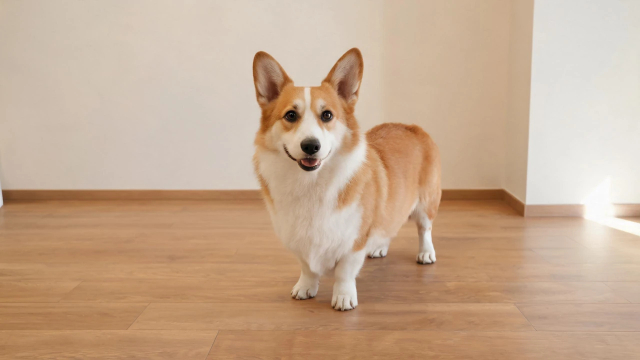
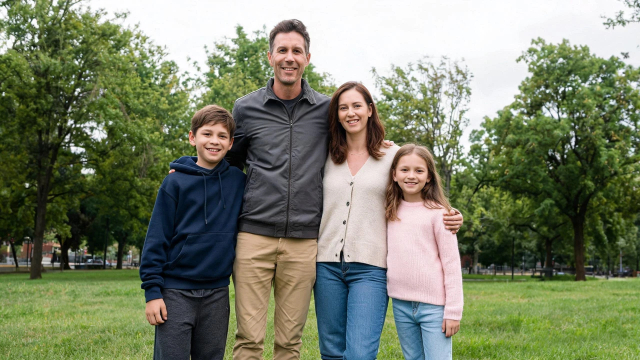
christmas photo backdrop: the same photo, a kitchen swapped for a lit room and a tree.
Select the prompt text below and copy it into your AI image generation tool. Use the original kitchen photo as the reference image.
For the closest before-and-after match, generate this image by editing the same original photo shown in the Before panel. Do not generate new people.
JPG, PNG or HEIC · 2K PNG · No watermark · 20 to 60 seconds
Three different searches land on this phrase, and only one of them is ours.
Right place. The photo can be from last summer, a wedding, a hotel corridor or a Tuesday in the kitchen. What changes is everything behind you — the room, the wall, the window, the floor — not the people. Upload now and see the first result in about a minute.
Then you want a stock library, not this page. Free libraries carry thousands of Christmas scenes, and the ones ranking for this term are well known. What they give you is a picture of a tree with nobody in front of it. Assembling a card or a banner — download the scene and place it behind whatever you are building. Already a person in the photo you want to keep — a download does not help; that is the next section down.
Then you want a physical backdrop, and this page does not sell one. Worth knowing before you buy: a printed backdrop looks right from two to three feet and looks like fabric from one foot; creases from shipping show in the first photograph and need a steamer, not a night on a hanger; a plain wall plus two moves (fairy lights, a wreath) photographs better than most 5×7 printed scenes. Shooting within a month — buy the cloth. Photo already taken — cloth is three weeks too late to be in it.
Nothing to install, nothing to mask, no cutting the subject out with a pen tool.
One photo from your camera roll. JPG, PNG and HEIC all work. Do not crop out the messy background first — the messy background is what you are here to replace, and a photo where you can still see the room is easier to work from than a tight crop of two faces.
Eight looks in the next section, from string lights on a plain wall to a full snowy scene. If none of them fit the room in your head, describe it in your own words instead of picking one.
Adding lights sits at the fast end of that range. Replacing the whole room and the light in it sits at the slow end. Nothing sits in a queue, and you do not need an account to try it.
2048 pixels on the long edge, PNG, no watermark. Enough to print a card, send to a grandparent, or drop into a group chat at full size.
Turn the room behind you into a Christmas one — 20 to 60 seconds. Upload your photo.
JPG, PNG or HEIC · 2K PNG · No watermark · 20 to 60 seconds
One photo works with all eight. Upload once, switch looks, keep the one that holds.
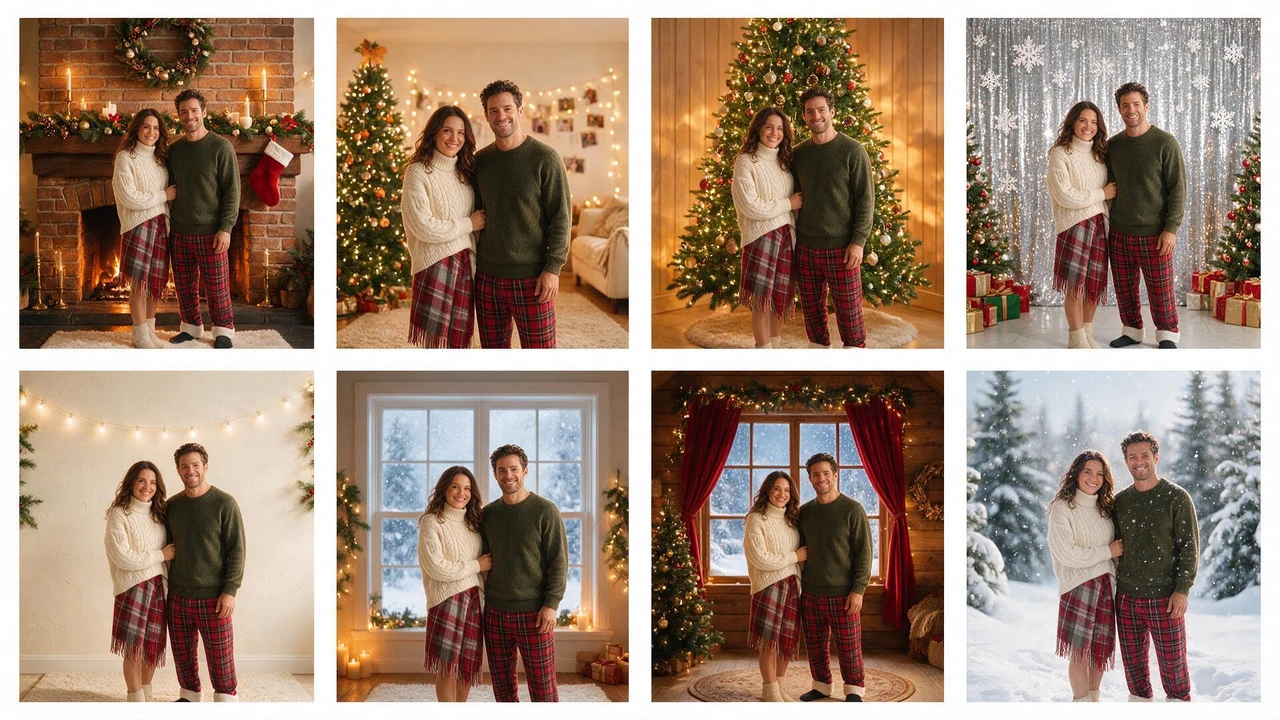
Select the prompt text below and copy it into your AI image generation tool. For the most consistent result, generate the eight scenes separately using the same reference photo, then assemble them into a 4-by-2 grid.
For stronger identity consistency, create eight individual background replacements from the same source photo before combining them into one contact sheet. Keep the final grid at 4 columns by 2 rows.
Stockings, a mantel, warm light from below. The room most people picture and the one least likely to exist in the house. Best on a waist-up or head-and-shoulders shot, where the mantel has somewhere to sit behind the shoulders.
A lit tree at the edge of the frame, string lights along the wall behind, the room warm rather than bright. Built for the photos families actually have — taken in a kitchen or a hallway, with things in the frame nobody wants to keep.
A decorated tree behind you, its lights throwing colour onto the wall and onto the shoulder nearest it. Best where the space behind you is plain or empty; on a busy background the tree competes with what was already there.
Foil fringe, snowflakes, a brick wall with a wreath on it — for the office-party shot, the group photo, the one that ends up in the internal chat. The only look on this list that is not trying to look like a living room.
The cheapest look in real life and the hardest to get right in a photograph: it works because nothing is in focus except the people. Use it when the photo has three or four people in it and no room for a tree.
Snow on the sill outside, warm light inside, the room dark at the edges. The fastest of the eight, and the one that hides the most about the original room.
Log walls, a warm window, snow, a small amount of red. A full scene change rather than a background — the slowest of the eight and the one that changes the most.
Snow in the air, a cool cast over the light, flakes settled on shoulders. How a July photo becomes a Christmas one without anybody putting on a coat.
Aesthetic is not a filter. It is four decisions — how warm the light is, how much is in frame, how many colours are allowed, and how much is out of focus.
Candle-and-string-light warmth reads as Christmas; overhead white light reads as an office. Presets are graded warmer than the room you uploaded, and the light on the face is re-graded to match — otherwise people look cut out and pasted on.
Cream plus one red accent is the quiet version. Forest green plus oatmeal is the one that still looks like a photograph ten years later. All three at once is the one that dates.
A branch, the corner of a chair, a shoulder of someone standing out of frame. Depth is most of what separates an aesthetic Christmas background from a stock image with a person in front of it.
Plaster, brick, wood panelling and wallpaper catch warm light. A smooth painted wall in a Christmas scene reads flat, no matter how many lights are hung on it.
Heavy bokeh and a dark room look good on a phone and print muddy at 5×7. If the photo is going on a card, choose a brighter look than the one you would post.

Select the prompt text below and copy it into your AI image generation tool. This prompt is for a background-only image with no people.
Keep the middle area uncluttered so a portrait can be placed over the background later. Avoid adding people or large Christmas decorations.
“2K” gets thrown around. Here is what ours means in inches.
| Factor | By Hand (Photoshop, remove.bg + Layers) | This Page |
|---|---|---|
| Time per photo | 10–40 minutes, most of it masking hair | 20–60 seconds |
| Skill | Layers, masks, colour matching | None |
| Control | Total — every pixel yours | You pick among looks, you do not paint the look |
| Best at | One hero photo, retouched | Ten photos at once, everyone at the party |
| Fails at | Hair against a busy background, five photos in an evening | A specific set piece you have already drawn |
If you have one photo and a free afternoon, do it by hand. If you have a group chat and forty photos, that is what this is for.
Half the people who search this term are holding a phone and a wall. Some of them should just take the photo.
…a plain wall, a window with daylight coming in sideways, and two metres of floor. Wall, off-centre window, people one step away from the wall. That is a better Christmas photo than a badly lit room with a printed cloth in it, and it costs nothing.
Stand people one arm's length from the wall, not against it — distance is what gives you a shadow that reads as depth. Turn off the overhead light, use the window. Put something warm in frame at the edge: a lamp, a candle, a string of lights, a mug. Take twenty frames, keep three. Nobody needs a backdrop, they need a light source that is not the ceiling.
Two conditions. Your wall is beige and the room is small enough that the wall is in every frame, or the photo already exists and the shoot already happened. The first is where a borrowed cloth or this tool beats a rearrange; the second is why this page exists at all.
Pyjamas on the stairs, one person holding every present at once, the dog wearing a bow, hands-only shots of mugs and cookies, a doorway framed from the next room so the tree light leaks in. All of these photograph better than a family lined up against a printed scene, and none of them need anything bought.
The honest boundary, so nobody is surprised by the result.
Everything behind the people — wall, floor, window, furniture, the light falling on all of it, and the colour grade of the whole frame so the person and the room sit in the same light. Snow in the air and on shoulders can be added; the room can be replaced completely.
Faces. The shape of the face, the expression, the eyes, the way each person was standing, and the framing you chose when you took the photo. We do not reshape anyone, thin anyone, or change a smile.
Hair against a busy background — a curl against a lit tree can leave a small halo, and small halos are visible at 100% even when they are invisible on a phone. Glasses reflecting a window behind you keep the reflection, because it is part of the face. A photo where five people overlap heavily is harder than five separate photos, and it takes the longer end of the 20–60 second range.
A photo where the input is dark and soft will produce a sharp background behind a soft person. That is a lighting problem, and it happened before the upload.
Quick check before you upload — thirty seconds here saves a regenerated minute.
Phone photos with people from the waist up. Indoor photos with any light at all. Group shots where people do not heavily overlap. Photos taken in a hallway, kitchen, office or hotel room. Photos from a different season — a June garden is fine, that is the point.
Full-length shots (the feet and the floor get replaced too — check the shoes sit on the new floor). Very dark photos (the background comes back brighter than the person; the grade is re-matched, but it can only do so much). Photos with a mirror in frame, where a reflection will show the old room.
Anything under 1,000 pixels wide. Screenshots of screenshots. Photos already run through three filters. Photos where the subject is smaller than a thumbnail in the frame.
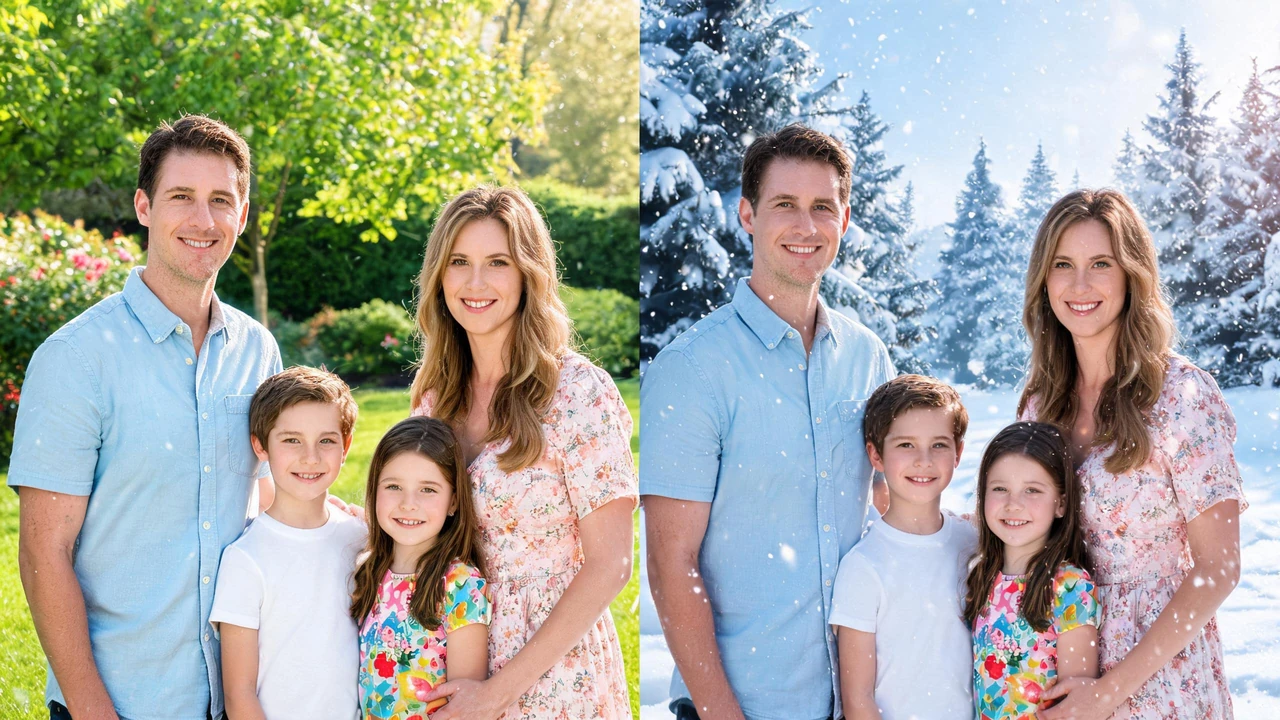
Select the prompt text below and copy it into your AI image generation tool. Use the same American family reference photo for both sides of the comparison.
For a convincing comparison, use one original American family photo and edit only the background on the winter side. Keep the people and their clothing unchanged.
For the people who want the cloth on the wall. Two that photograph well, one that never does.
A white flat sheet, taped taut, lights hung two inches behind it. Warm white, never multicolour. It reads as soft glow with no visible bulbs, which is the only DIY backdrop that reliably beats a printed one. Under $20, twenty minutes.
The whole trick is that one object gets all the attention. Hang it at head height, stand people a foot to the side so the wreath is not behind a face, and use one window for light. Cheap, and it never looks like a backdrop.
Photographs as a shiny grey wall with a person in front of it. It catches every reflection including the phone flash, and it looks like 2014. Skip it, even though every DIY list on page one recommends it.
Free libraries give you a photo to download. Changing the background in a photo you already have costs a credit here — there is a free try, but no watermark-free download on the house. “Free” in the searches usually means no account, not no cost.
Yes. It runs in the browser, so a phone works — upload from the camera roll, choose a look, download the PNG straight to the album. Nothing to install.
The one where the light on the person matches the light behind them. Any tool can cut a subject out and drop it on a scene; what gives it away is a face lit by an overhead kitchen bulb standing in front of candle-lit wallpaper. Grading the person to the room is the part worth checking before you pay for anything.
Yes, up to five people is comfortable. Past that, the faces get small in the frame and the halos around hair start showing — take two photos and combine, or use the wider look where more of the room is visible.
Yes — the tree look comes with lights on, and the light spills onto the wall and the shoulder nearest it. On a busy original background it competes with what was there, so it is the look that gains most from a plain wall behind you.
That is the most common use. Nothing in the photo is checked for season — a June garden becomes a snowy scene, and nobody has to put on a coat. The light grade does the work.
2048 pixels on the long edge, PNG, no watermark. That prints a 5×7 at 300 DPI without upscaling. It does not print an 8×10 sharply, and we will not pretend otherwise.
Use a stock library — that is what they are for, and this page does not replace them. If you have a person to keep, this page is the other half of that job.
Keep the people, the expressions and the moment. Change the room behind them into a Christmas scene in 20 to 60 seconds.
JPG, PNG or HEIC · 2K PNG · No watermark · 20 to 60 seconds