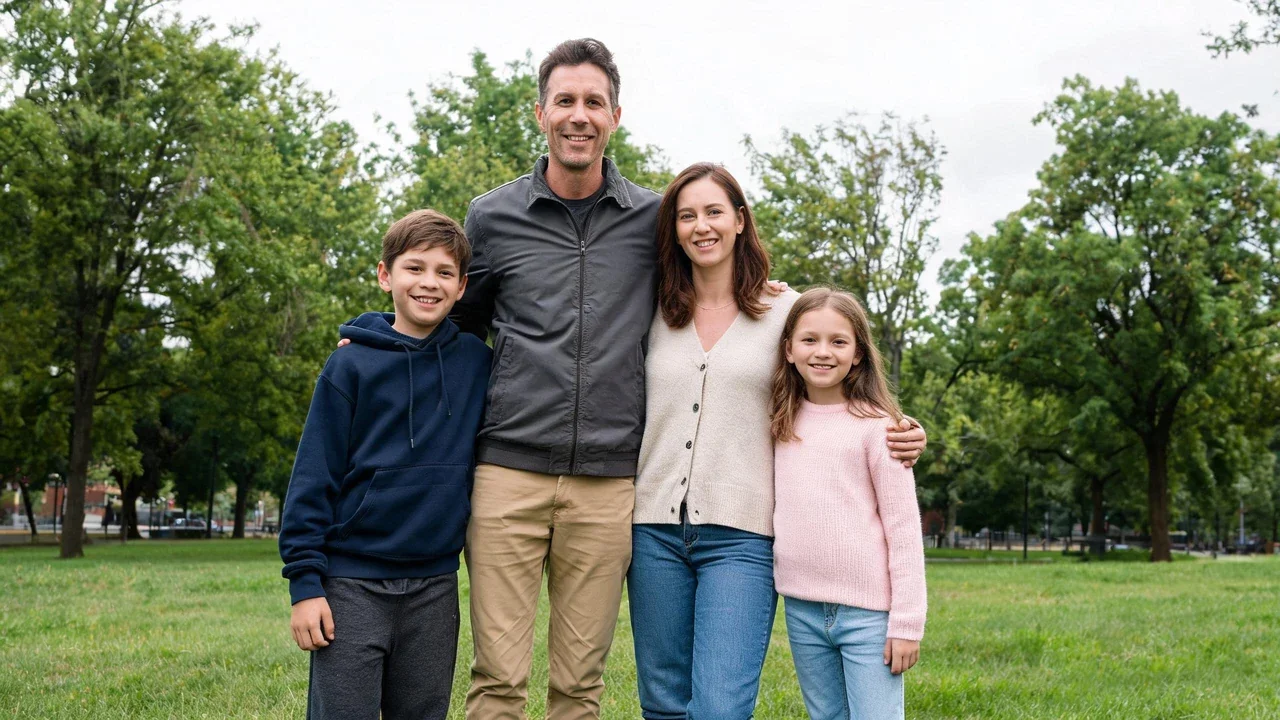
Original outdoor family photo of two parents and two children in a green park.
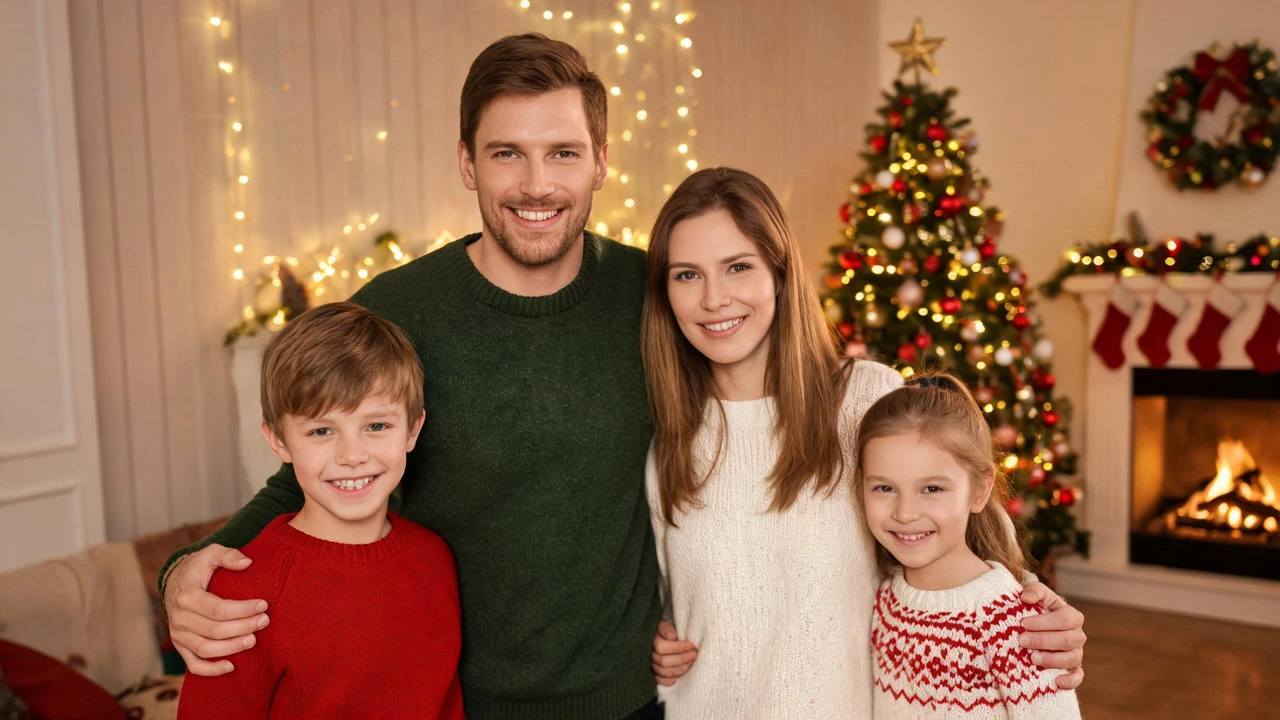
The same four family members transformed into a cinematic Christmas scene with red velvet outfits, golden lights, and falling snow.
Turn the family photo you already took into a Christmas family photo in 20 to 60 seconds. No photo session to book, no matching outfits to buy, and no need to coordinate everyone's schedule. Upload one family photo, choose a festive look, and transform an everyday picture into a Christmas keepsake. Start with a photo from Thanksgiving, last summer, a wedding, or an ordinary afternoon in the park. Create a warm Christmas living room, add sparkling lights and falling snow, or move your family into a magical winter village. Keep the people who make the photo special while changing the setting around them. Download your finished image as a 2K PNG with no watermark.
Transform the reference family photo into a stunning, cinematic Christmas wonderland. Preserve the original facial identities, ages, and exact number of all family members. Dress everyone in elegant, luxurious red velvet and white faux-fur Christmas outfits. Place the family in a snow-covered European fairy-tale village surrounded by towering snow-covered fir trees, sparkling golden Christmas lights, and a magnificent decorated Christmas tree. Add delicate, crystal-like snowflakes falling through the air. Create a striking contrast between warm golden lighting and cool icy-blue snow. Use a dreamy cinematic atmosphere with ultra-realistic holiday photography, professional Christmas magazine cover quality, exquisite details, realistic fabric textures, natural facial features, and breathtaking winter scenery. Render in 8K with a polished, photorealistic finish while keeping every family member recognizable.Create a Christmas family photo from a picture you already have. Upload one JPG, PNG, or HEIC image, choose a festive look, and generate a 2K PNG in about 20 to 60 seconds. No new photo session or appointment is needed.HOW IT WORKSUpload a family photo with clearly visible faces and even lighting. Choose one of eight Christmas presets or describe your own idea. Options include warm string lights, a decorated tree, a festive room, Christmas hats, falling snow, holiday sweaters, a Christmas card layout, and a snowy North Pole portrait. Review the result and try another look if needed.A CINEMATIC CHRISTMAS TRANSFORMATIONTurn an everyday outdoor family picture into a snowy European village. Add elegant red velvet and white fur outfits, snow-covered fir trees, golden Christmas lights, a decorated Christmas tree, and delicate falling snow. Warm golden lighting contrasts with icy-blue snow for a dreamy holiday portrait.The edit is designed to preserve the original family members, recognizable faces, expressions, positions, and framing while changing the setting, lighting, clothing, and festive details. Clear faces and uncluttered backgrounds generally provide the best starting point. Larger group photos can be more challenging.YOUR DOWNLOADEach result is a PNG with 2048 pixels on its longest edge and no watermark. Generation usually takes 20 to 60 seconds per image. New accounts start with credits; each image costs 2 credits after those are used, with no recurring subscription. Generated images remain in your history for 7 days, so download the versions you want to keep.Make this year's family Christmas photo from the image already on your phone. Upload your picture, choose a look, and create a festive keepsake without coordinating another family photo shoot.
Turn the family photo you already took into a Christmas family photo — in 20 to 60 seconds.
No session to book. No matching pajamas to buy for four people. No coordinating four schedules for one afternoon at a studio. Upload one photo of your family — the one from Thanksgiving, the one from last summer, the one where everyone is actually looking at the camera — and it comes back as a Christmas family photo: a lit tree behind you, warm string lights across the frame, hats on every head, or the whole picture laid into a card. Your faces, your framing and the way you were standing stay exactly as they were. What you download is a 2K PNG with nothing stamped on it.
The hard part of a family Christmas photo is normally the logistics. This takes the logistics out and leaves the photo.
One photo, from your camera roll or your computer. JPG, PNG and HEIC all work. A shot where every face is clearly visible and evenly lit gives the cleanest result; a wide group shot at dusk, where faces are small and half in shadow, gives a softer one.
Eight presets, from a hat added to the frame all the way to a new room behind you. You can also describe the look you want in your own words.
Adding lights sits at the fast end of that range; replacing the whole room sits at the slow end. Nothing goes into a queue behind a long-running job.
2048 pixels on the long edge, as a PNG, with nothing stamped on it. Save it to your phone and it goes straight into a card order, a text to your mother, or the file you send to the part of the family that isn't local.
If the first result isn't right, change one preset and run it again — you're not starting over from the original file each time.
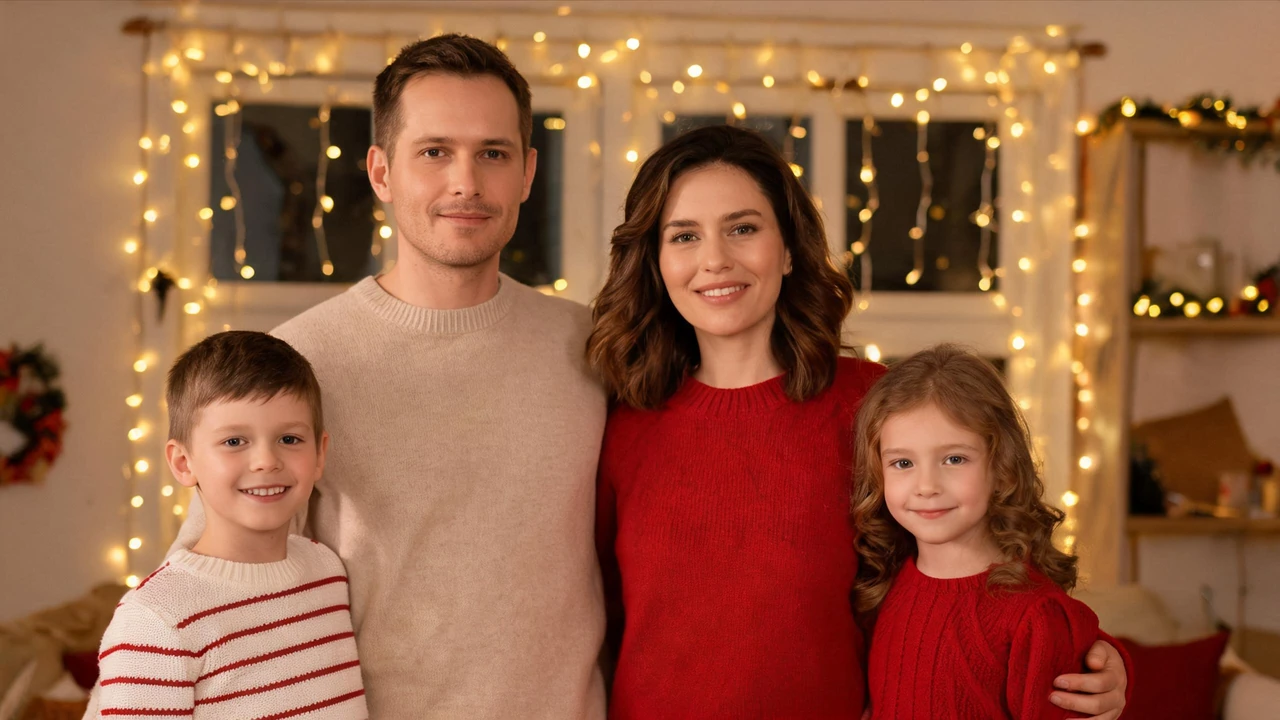
Warm string lights worked into the room behind your family, with the glow landing on whichever side of each face is nearest them. The family is lit by the scene instead of standing in front of it.
A decorated tree added behind the group, its lights throwing soft colour onto the wall and onto the shoulders closest to it. Best on the photo where the space behind you is empty or plain.
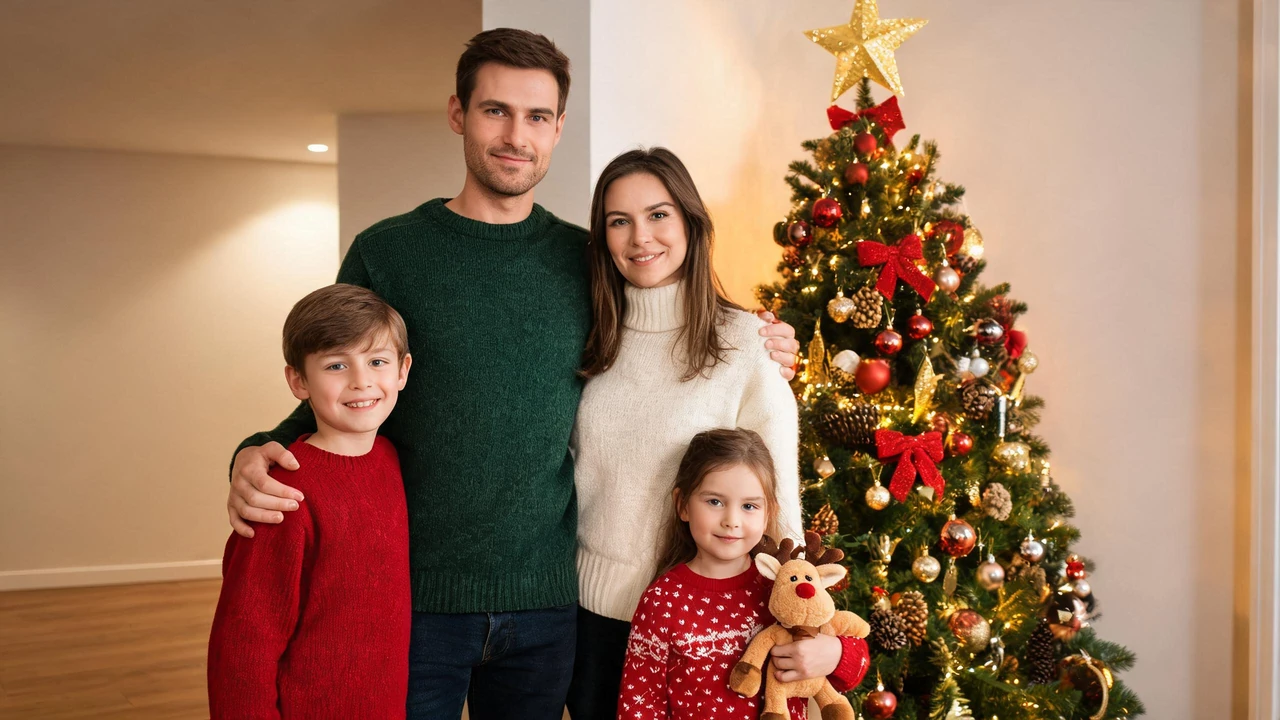
The whole room behind the family replaced with a Christmas living room. This is the preset built for the photos families actually have — taken in a kitchen, with the fridge and a stack of mail in the frame.
A hat on every head in the frame, each one tilted to match that person's head position rather than pasted at one angle across the group.
Fine flakes in front of and behind the family, a few settled on shoulders and hair, the light in the frame cooled down to match. The outdoor option, and the reason a July photo can still become a Christmas one.
Clothing swapped for knitted Christmas texture, with collar and shoulder seams following the body underneath so it hangs off the family's actual posture.
The photo laid into a card layout with a border and decoration around it, and blank space left for your own message. The generator doesn't write on the card — the wording stays yours, which is also what keeps the card yours.
Your family moved into a cabin-and-snowfall scene, sweaters and hats included. The full scene change, and the slowest of the eight.
Every idea below starts from a photo sitting on your phone right now — no shoot, no props, no new outfits.
Outfits are the part families plan first and photograph last. Two things actually decide whether a group shot holds together: the colour scheme, and how much pattern is in the frame.

Red and cream, forest green and oatmeal, or all-neutral with a single red accent. What reads as coordinated in a family photo is not matching clothes — it's three or four colours that repeat across the group.
A single busy plaid in the middle of the frame pulls the eye off every face around it. If someone owns the plaid, keep it to a scarf or a pair of socks, and put it at the edge.
Matching family pajamas read as intentional even when nothing else about the shot does. That is also why they photograph well in a living room at eight in the evening, with the tree lights on and no other lighting.
Knits, flannel, wool and corduroy catch the warm light in a Christmas room; flat polyester reflects it and reads flat in the shot.
They date the photo faster than anything else in it, and they already say last year on them.
On clothing the generator can change one thing: the holiday sweater preset swaps what's being worn. What it will not do is dress a family of five in coordinated outfits — for that, pick the photo where the colours already work, and change the room instead.
There are three settings families use, and only one of them needs to be a decision now.
At home, in front of the tree. Free, and the lights are already warm. The catch is the room behind you: usually a sofa, a hallway, and whatever was on the floor.
Outdoors, in the cold. Best light of the three, shortest patience of the three, especially with anyone under six.
A studio or a portrait session. Predictable lighting and a real backdrop, which is what you're paying for — plus a booking, a slot that six people have to make, and a reschedule if somebody wakes up ill.
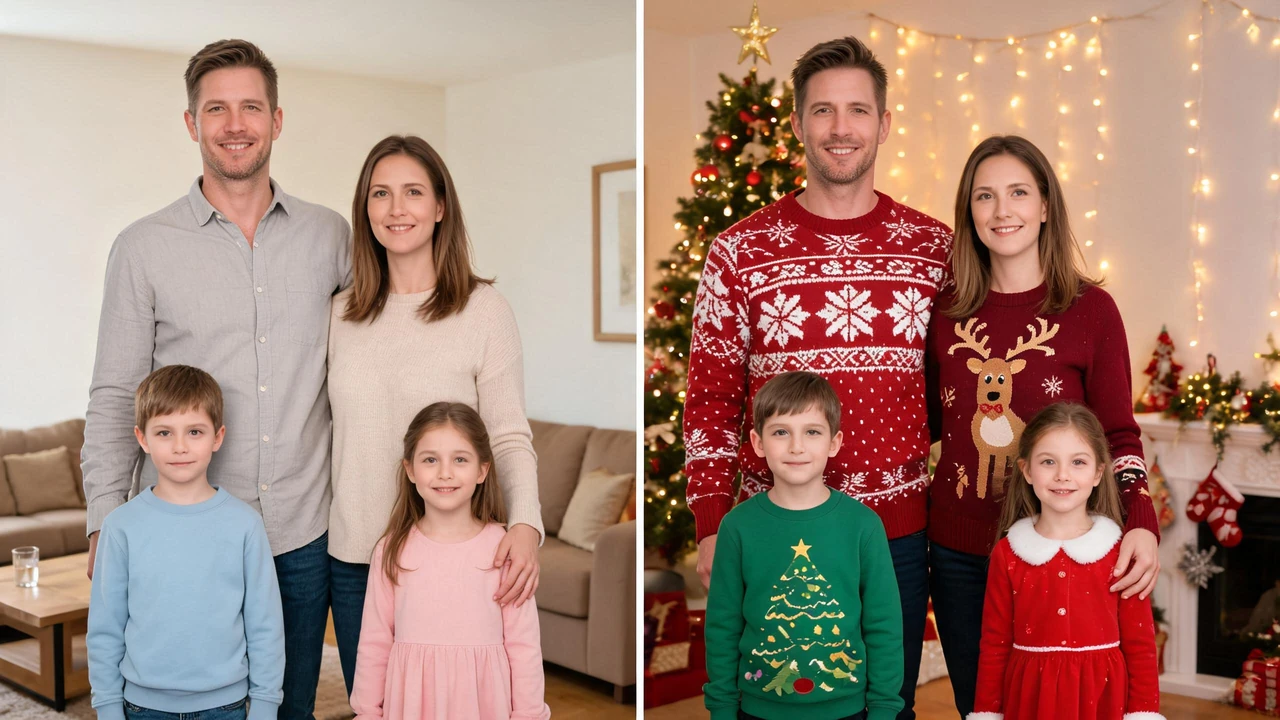
If the photo is already taken — the summer one, the one from a wedding, the one where the background is a hotel corridor — none of that matters. Changing where a photo was taken is the preset's job, not yours. Upload the shot you have and put a Christmas room behind it.
A Christmas family portrait is the version of this where someone else takes the picture: a photographer, a backdrop, a time slot six people have to show up for, and a folder of edited files a week or two later. Most of what comes back for that search is exactly that — studios, local photographers, a couple of stock libraries. So it's worth being direct about which of the two you need.

Book it when the photo has to exist, not when it just has to improve. Three conditions make the fee make sense: everyone in the group is in the same city the same week, nobody is under three or over eighty, and you want something printed and hung rather than posted. A studio gives you controlled light, a real backdrop, and one less decision to make as a family. It also gives you a date, a deposit, and a reshoot fee if someone wakes up ill that morning.
If there's a family portrait on your phone — last Christmas, a June wedding, the one your sister took in front of her tree — the session already happened, just on a different day in front of a different background. Upload that file and the portrait comes back inside a Christmas room, or with lights, hats or snow worked into the frame around the family already standing in it. Faces, expressions, who stands where and the crop stay as they are; the room and the light are what change.
Time — a session is a booking plus one to three weeks for delivery; an edit is 20 to 60 seconds, and you can see it before you decide anything.
Cost — a session fee plus prints; here, an account with credits to start on, then 2 credits an image, no subscription.
Control — a session means one photographer's lighting decisions on one evening; an edit means trying eight rooms in twenty minutes and keeping two.
What a session does that an edit can't — it gets everyone into clothes that actually coordinate, and it can be reshot on the day if someone blinks.
What an edit does that a session can't — it works on the portrait you already paid for five years ago, in front of a background that no longer exists, with people in it who aren't all in the same city anymore.
A Christmas edit on a family photo either keeps your family or loses them, and the place it gives itself away is never the hats. It's the hair edge of the person standing furthest to the side, the shadow under a chin, and the direction the light comes from.
What changes: the room, the light colour and direction, the added elements, and in one preset the clothing.
What stays: the faces, the expressions, who is standing where, the framing and the crop. You are not asked for several photos per person, and you are not asked to approve a replacement family.
The presets are graded against that split. A background swap means hair edges keep single strands instead of a cut-out halo, and the light on each face is re-graded to match the new room. The hat preset tilts per head rather than stamping one angle across the group. The snow preset puts flakes into the depth of the scene, not in a layer on top of it.
That is also why the honest hard case is a photo with six people in a busy room: the more faces and the more clutter, the more the model has to separate. Most family photos are that photo, not the studio one.
It runs at a URL, on whatever you're already holding. No download, no account setup before you can see a result, no appointment that six people have to keep. The grandmother who is in the photo does not need to install anything to look at it.
Two things this means in practice. You can try one family photo across several looks before committing to any of them — the comparison is the useful part, not the first result. And the photo has to come back before you can print it, which is why the whole flow is minutes rather than a delivery window.
| This | Studio session | Phone app filter | Photoshop | |
|---|---|---|---|---|
| Cost | Credits per image | Session fee plus prints | Free, with an upgrade wall | Licence fee |
| Time | 20 to 60 seconds | Booking, then 1–3 weeks | Instant | An hour per person who knows how |
| Family stays as-is | Yes | Yes | Yes | Yes, if you keep the layers tidy |
| New room behind you | Yes | Yes, physically | No | Hours of masking |
| Coordinated outfits | No | Yes | No | Yes, with effort |
| Works on last year's photo | Yes | No | Yes | Yes |
Three honest caveats. A phone filter changes colour, not the room — it can warm up a tree photo but can't put a tree behind you. Photoshop can do any of this and better, if someone in the family has the skill and the evening. And a studio session remains the only option that gets a group into clothes that actually match, which is the one thing a photo alone can't fix.
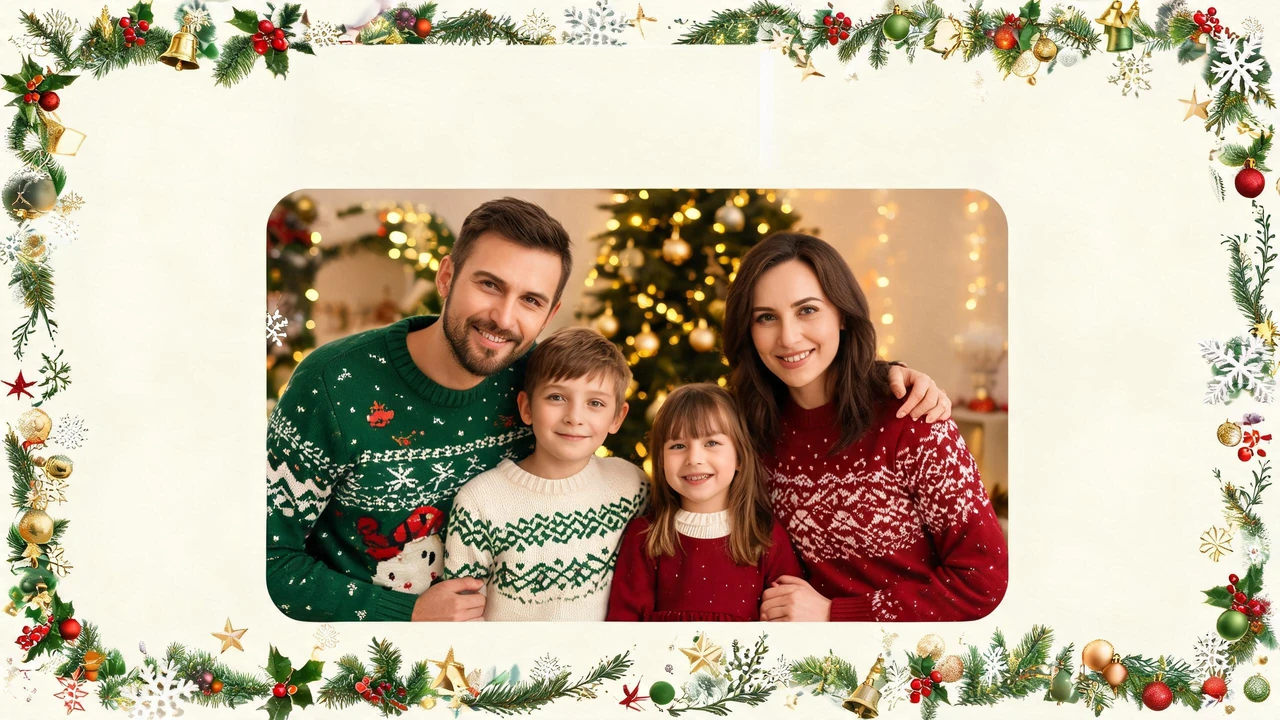
The photo is already on your phone. The tree, the lights, the hats and the snow are the part that's missing, and that part takes under a minute. Upload the shot, pick a look, download the 2K PNG — and this year's family Christmas photo is done before anyone has to agree on an evening.