The transformed Christmas portrait with a candy cane frame, peppermint decorations, and a dreamy pink and mint holiday background.The original studio portrait before the candy cane Christmas makeover.
Before
After
The original studio portrait before the candy cane Christmas makeover.
The transformed Christmas portrait with a candy cane frame, peppermint decorations, and a dreamy pink and mint holiday background.
Give a photo you already have a festive Christmas frame in 20 to 60 seconds. Choose from six seasonal styles, including wooden frames, evergreen wreaths, hanging ornaments, card borders, vintage tinsel, and frosted edges. Upload a JPG, PNG, or HEIC image and get a 2K PNG without a watermark. The candy cane portrait is an example of a more elaborate Christmas makeover, combining a recognizable subject with colorful holiday decorations and a magical candy-themed setting.
Use the supplied reference image of an American man around 30 years old, looking directly at the camera with a friendly, natural smile. He is wearing a plain navy blue sweatshirt and posing in a centered, chest-up composition against a clean light gray studio background. Preserve his original facial identity, facial features, hairstyle, and cheerful expression. Transform the portrait into a playful, magical Christmas portrait with a colorful candy theme. Change his outfit into a red-and-white Christmas sweater decorated with cute peppermint candy patterns. Add a striking three-dimensional candy cane photo frame around the portrait, featuring oversized red-and-white striped candy canes, colorful peppermint lollipops, sparkling gummies, gingerbread cookies, glossy candy ornaments, red ribbons, and miniature gingerbread houses. Replace the plain studio background with a dreamy Christmas candy world in pink and mint green. Add magical glowing festive lights, floating sugar crystals, and colorful holiday sparkles. Use a vivid palette of red, white, mint green, and candy pink. Create a cute Christmas fantasy aesthetic with rich 3D decorative details, combining a realistic human portrait with polished commercial holiday illustration. Maintain recognizable facial features and a natural expression. Do not include text, logos, or watermarks.
About This Template
A Christmas photo frame is an easy way to give an existing picture a festive finish without arranging a new photoshoot. Upload a photo from your phone or computer, choose a seasonal frame, and receive a finished image in approximately 20 to 60 seconds. JPG, PNG, and HEIC files are supported, including photos uploaded directly from an iPhone camera roll. For the cleanest result, choose a picture where the subject has some space around the edges so the decorations can sit naturally around the portrait.Explore six Christmas photo frame styles. A wooden frame adds a pale, warm-grain border that works with different photo colors. A wreath frame surrounds the picture with evergreen branches and red berries. An ornament frame places the portrait inside a hanging glass bauble, making it suitable for a Christmas tree decoration. A card border uses folded-paper details and leaves room for a personal greeting. Vintage tinsel creates a nostalgic holiday look, while a frosted edge adds snow and winter atmosphere without distracting from the subject.The candy cane Christmas portrait demonstrates a more decorative holiday transformation. It features a red-and-white peppermint sweater, oversized candy canes, colorful lollipops, gingerbread details, glossy candy ornaments, red ribbons, and a pink-and-mint Christmas background. This creative AI makeover is different from a traditional photo frame. A frame adds decoration around a photograph while keeping the original scene intact. A filter changes colors, lighting, or overlays within the image. An AI scene transformation can regenerate clothing, lighting, and background details, so generated elements may not be an exact record of the original moment. Choose a simple frame when preserving the original photo is important.Each finished image is delivered as a PNG with 2048 pixels on its longest edge and no watermark. Plain borders are generally faster to process than elaborate seasonal scenes. You can download the result, share it, use it in a greeting card, or prepare it for printing. Images remain in the generation history for 7 days on a free account, so download the versions you want to keep. After the daily allowance, generation costs 2 credits per image for signed-in accounts.A 2K image is suitable for several common Christmas photo frame sizes. Prints at 4×6 and 5×7 inches are the sharpest options. An 8×10 print works well at a normal viewing distance, while an 11×14 print is better suited to canvas or a mat. Always consider both the width and height of the source photo: different frame sizes can require different crops. For the best fit, prepare the image in the aspect ratio of the frame you plan to use.You can also reuse a framed image for a Christmas card, a tree ornament, a family photo display, or a small gift tag. Keep a blank strip on a card border when you plan to add your own greeting. This page provides a digital photo framing tool and does not sell or ship physical frames. For a printed display, prepare the image first and choose a physical frame that matches the final print size.
Christmas Photo Frame Generator
Christmas Photo Frame
Put a Christmas frame around a photo you already have - in 20 to 60 seconds, with nothing cropped out of the picture.
Framing a photo is the cheapest thing you can do to it. No reshoot, no new background, nobody standing in a different place - the photo stays exactly as it is and a frame goes around it: a pale wooden edge, a wreath, a hanging glass bauble, a folded card border. Your faces, your crop and your aspect ratio stay what they were, which is the whole point: a frame sits around a photograph, it doesn't cover one.
If you came here to buy a frame instead - a real one, with a nail in the wall - the page covers that too, starting with the part that actually goes wrong: the size.
JPG, PNG or HEIC | 2K PNG | No watermark | 20 to 60 seconds
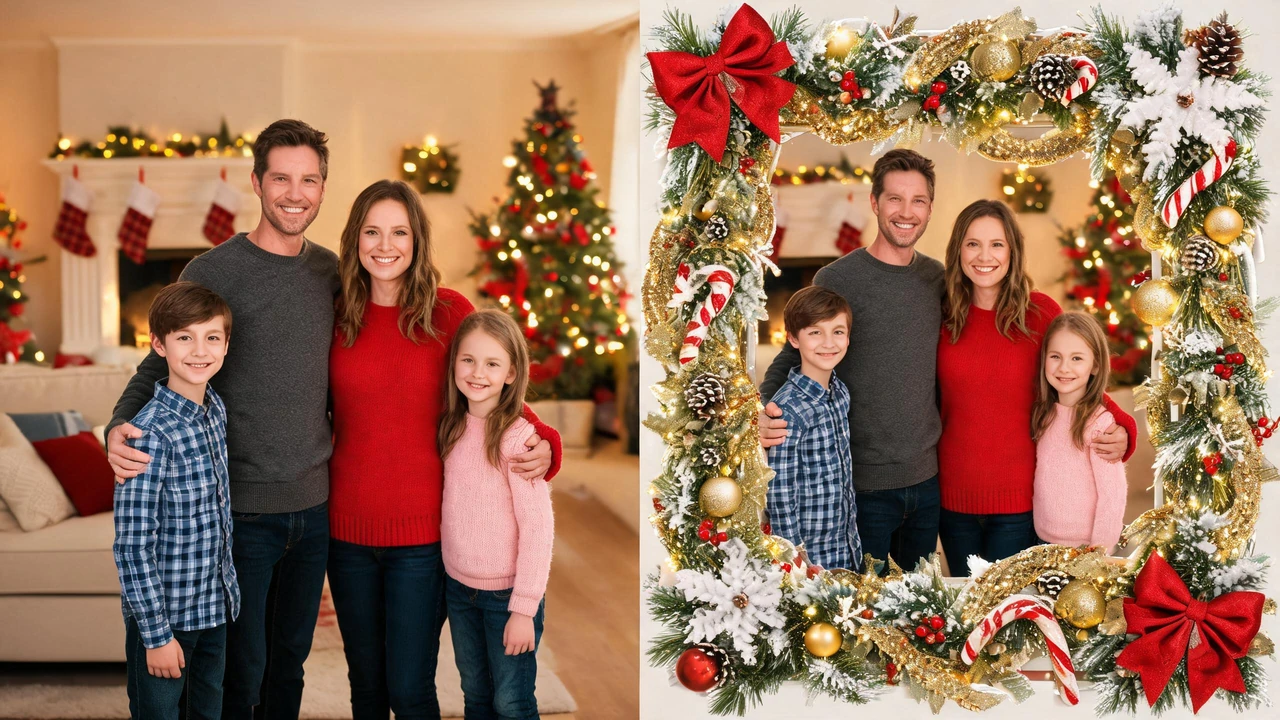
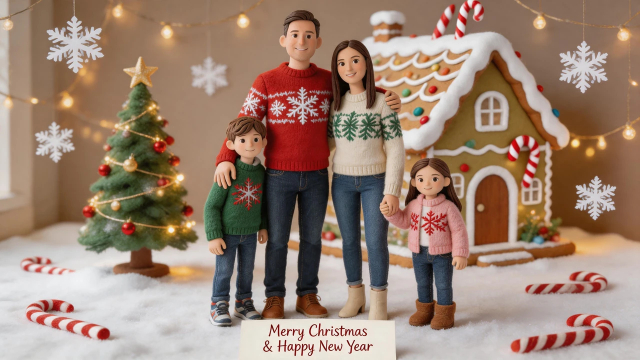
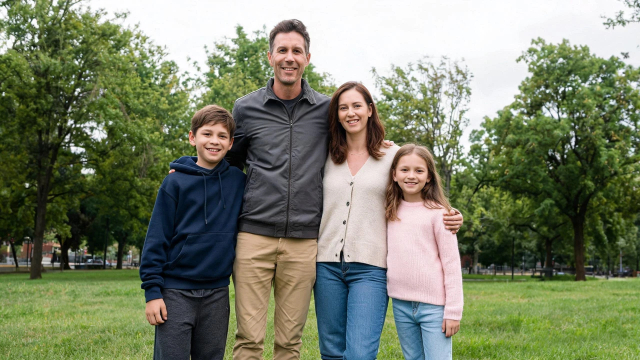
The same family photo with a Christmas frame added around the original image.
Four Simple Steps
How It Works: One Photo In, a Framed Christmas Photo Back
01
Upload the photo.
From your camera roll or your computer; JPG, PNG and HEIC all work. A photo where the subject isn't touching the very edge gives the cleanest result - the frame needs a margin to sit in, otherwise it lands on someone's shoulder instead of around them.
02
Choose the frame.
Six styles, from a plain wooden edge to a card border with folded corners. Each one keeps your photo's own colours and its own light; a frame doesn't re-grade the picture underneath it.
03
Wait 20 to 60 seconds.
Plain frames sit at the fast end of that range; the ones that bring a wreath, tinsel or a scene around the edge sit at the slow end.
04
Download the 2K PNG.
2048 pixels on the long edge, as a PNG, with nothing stamped on it. Post it, print it, or drop it into a card order. Not the right frame? Pick another and run it again from the same upload - the original photo isn't touched.
Find Your Look
Six Christmas Photo Frame Styles
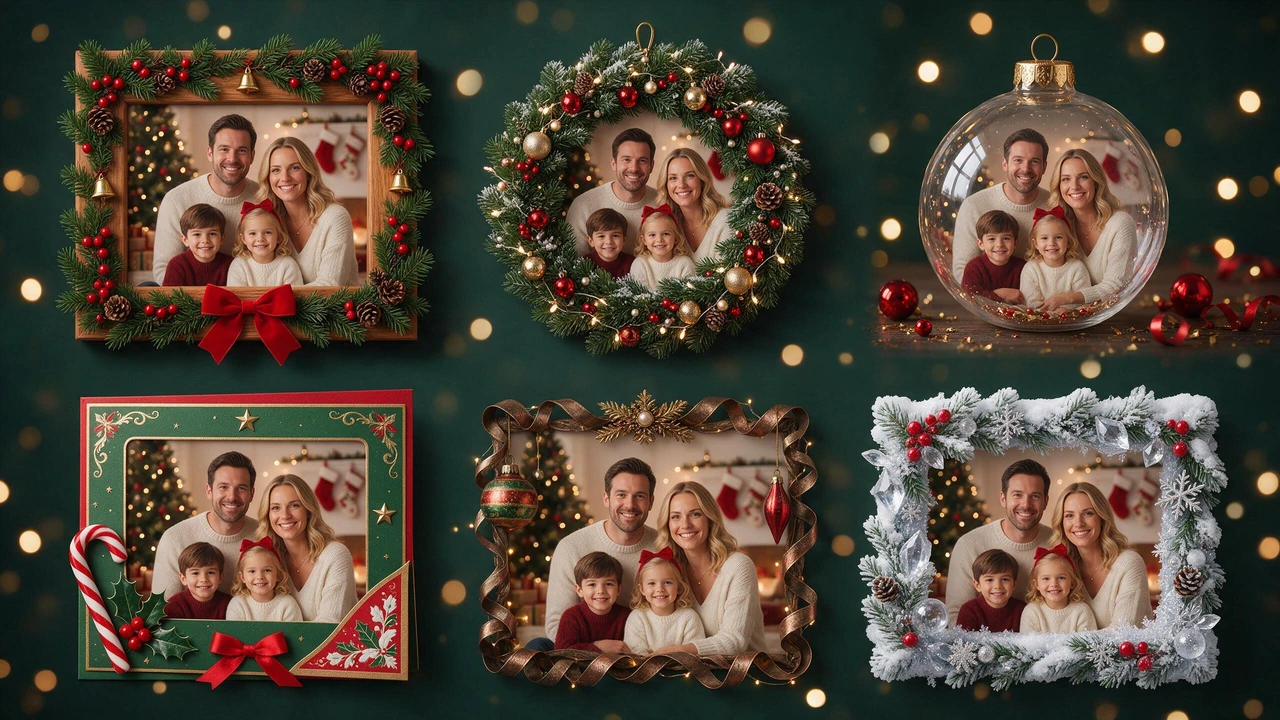
Choose an edge that suits the photo. Every style uses the same original picture, so the comparison is about the frame - not a different face, crop or lighting setup.
Six festive frame designs, one original family photo - compare the frames without changing the photograph.
Image Generation PromptSelect the text to copy
Wooden frame
A pale board frame with warm grain and a thin shadow where it meets the photo, the way a real frame throws one on a wall. The neutral option - it works on a photo shot in a red room and on one shot in a blue one.
Wreath frame
Evergreen around the border, a few red berries, the ring slightly out of focus so the eye stays on the faces inside it. Reads as a card more than a wall frame.
Ornament frame
The photo set inside a hanging glass bauble, hanger included, with a highlight across the glass. The one people keep: it goes on the tree instead of the wall.
Card border
A folded-paper edge with the corner turned down, the photo laid square inside it, blank space kept at the bottom for your own line. The generator doesn't write the message - the wording stays yours.
Vintage tinsel frame
Garland and a warm, slightly faded border, the photo graded softer inside it. The most retro of the six, and the one that suits a film-era family photo best.
Frosted edge
Frost and snowfall around the border with the photo kept sharp in the centre and the corners going soft. Built for the outdoor shot - the cold one, taken in a driveway, in the dark.
Buying a Real Frame
If You're Buying a Christmas Photo Frame Instead
We don't sell frames and nothing here is shipped. But nearly all of the top results for this search are shops, so here's the part of that decision that actually goes wrong - in the order it goes wrong.
Wall frame or ornament
Two different purchases, constantly confused. A wall frame needs glass, a mat and a nail. An ornament needs to be light, double-sided and under about four inches, or it drags the branch down. Pick which one you're buying before you pick a design.
Sort the file before you buy the frame
This is the step people skip. A frame is a promise about a print, and the print has to come from a file. If the file is a screenshot, or a copy that went through a chat app, an 8x10 of it looks soft behind glass - and you'll blame the frame. A 2K PNG at 2048 pixels on the long edge prints sharp at 8x10 and holds at 11x14 on canvas. File first, frame second.
Material, and what's behind it
Pale wood and white frames disappear against a cream wall; black or gold needs something dark to sit on. In a room that's mostly white and pine - which is most Christmas rooms - pale wood is the safe buy and gold is the loud one. Also: this page has no shop attached and no local stock, so for anything you need to hold today, a search for a nearby store beats a delivery date.
Know the Difference
Christmas Photo Filter vs a Christmas Photo Frame
These two get searched together and they do different things to a picture.
A Christmas photo frame adds something around the photo and leaves everything inside it alone - same colour, same light, same background, plus an edge.
A Christmas photo filter changes what's inside: the colour, the warmth, the light, sometimes the whole background.
Worth knowing before you pick one, because picking the wrong one is what makes a photo look edited rather than decorated.
Where "christmas filter" Searches Actually Land
Almost entirely in apps. That search's first page is social platforms and app stores - Instagram and Facebook filters, two Play Store listings, an App Store listing, plus three browser editors (Fotor, Kapwing, LightX). Which tells you what people mean by it: a layer you drop on a photo and drag a slider on - not something that goes around it.
That's the limit, and it's a real one: a filter cannot put a lit tree behind a family whose photo was taken in a kitchen, and it cannot turn July light into December light. It can only tint the kitchen orange.
The Difference Between a Filter and a New Scene
What an AI Christmas Filter Changes That a Filter Can't
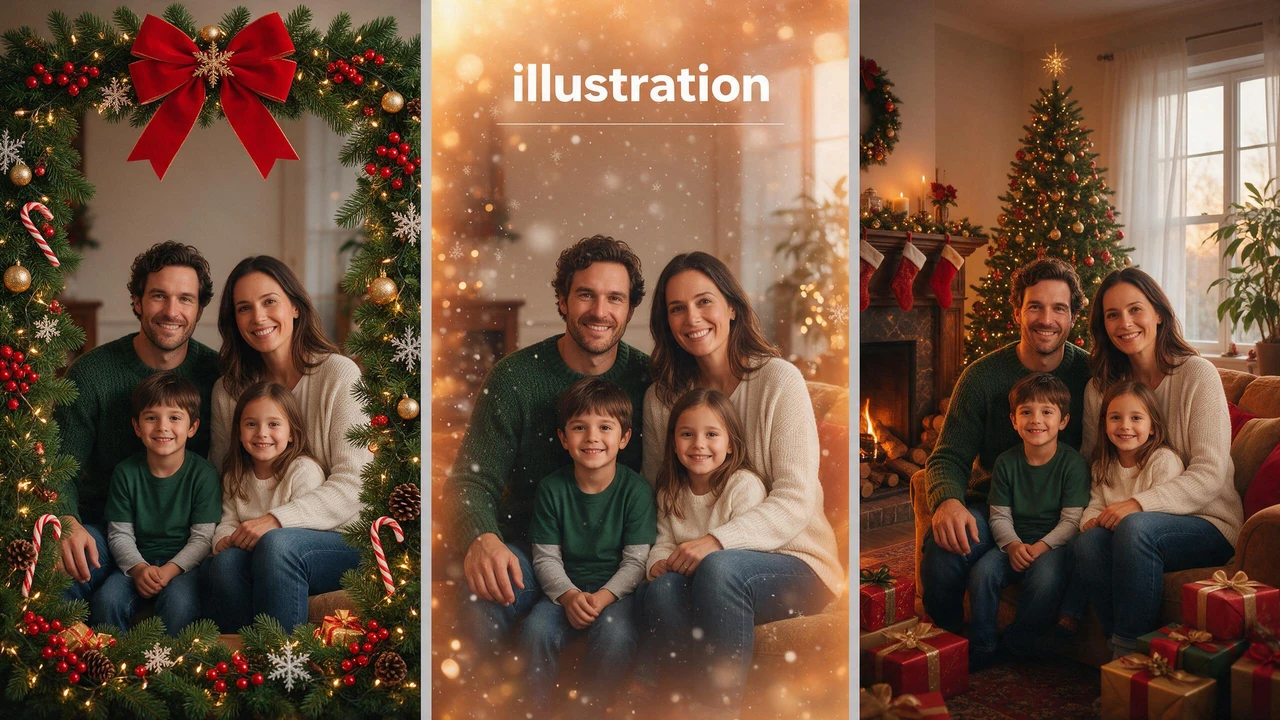
A frame decorates the photo edge, a traditional filter changes its appearance, and an AI transformation creates a different Christmas setting.Middle panel: illustration
Image Generation PromptSelect the text to copy
An AI Christmas filter is the other kind of tool: instead of a layer over your pixels, what's behind you is regenerated - the room, the light source, the direction the light comes from, the snow that's in the air rather than on the glass. It's the difference between a photo that's been tinted and a photo whose setting has been changed.
What it does that a slider can't
A kitchen becomes a Christmas living room. A hotel corridor becomes a tree and a fireplace. A photo taken at four in the afternoon in June comes back with the light of a December four in the afternoon.
What it costs you, honestly
Generated detail is invented detail. Faces get subtly re-lit, sometimes slightly re-made; background objects don't always belong there; a favourite jumper can come back a different colour, a smaller logo can smear. If the photo has to stay literally true to the moment - for a card going to a grandparent, for anything that will be printed large - use a frame, not a regeneration. A frame can't change the scene, and that's exactly why it can't change the people in it.
Make More From One Photo
Christmas Photo Frame Ideas From a Photo You Already Have
All eight start from one photo on your phone. The links go to the tool that does each one.
The framed mantel photoThis page. The one you already have, one of the six frames, thirty seconds.
Pricing is per photo: 2 credits an image once you're past your daily allowance, and signed-in accounts get a daily allowance on the house. Images you generate stay in your history for 7 days on a free account - download the ones you want to keep.
Print and Display
Will It Print? Frame Sizes a 2K File Covers
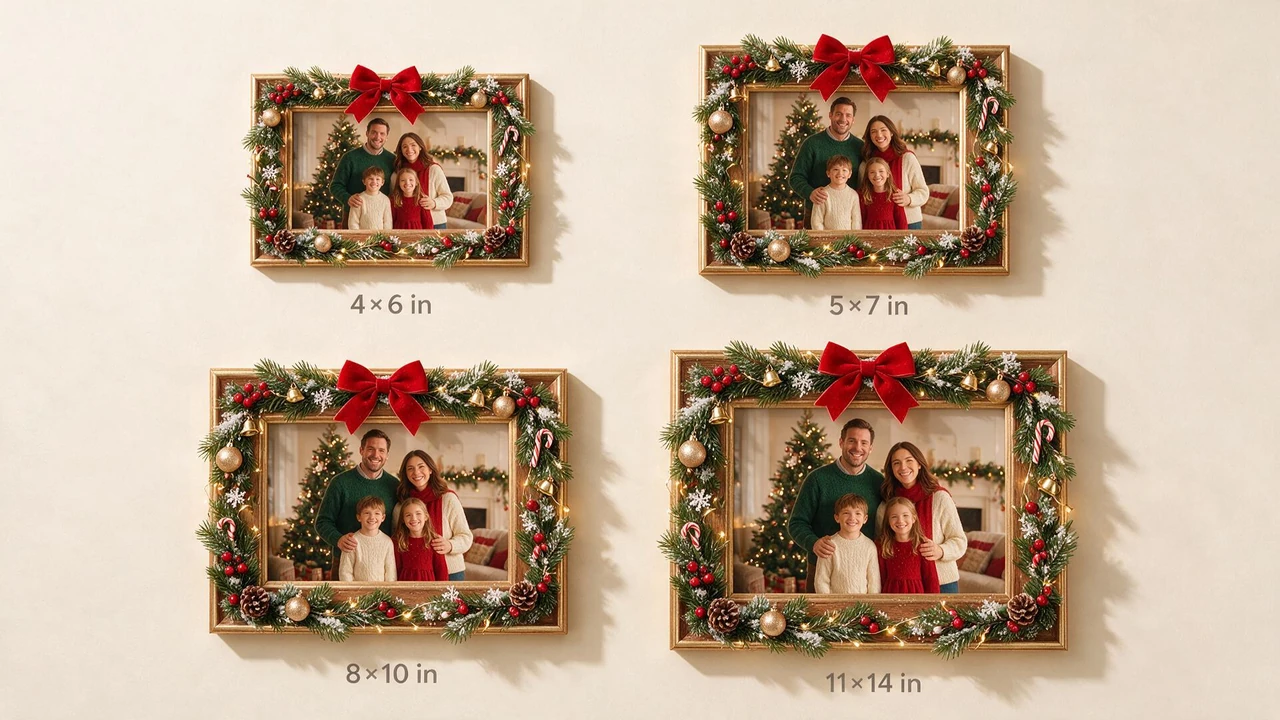
Compare four popular print sizes for a Christmas-framed photo, from a small desk frame to a large wall display.
Image Generation PromptSelect the text to copy
A 2K file at 2048 px on the long edge holds 300 dpi up to about 6.8 inches on that side - so crops of 4x6 and 5x7 are comfortable, 8x10 is fine at normal viewing distance, and 11x14 wants canvas or a mat so the eye isn't close to it.
Frame size
Long edge at 300 dpi
Good for
Note
4x6 in
6 in
Desk frame, ornament insert
Prints sharpest
5x7 in
7 in
The standard gift frame
Safe default
8x10 in
10 in
Mantel, shelf
Fine at arm's length
11x14 in
14 in
Large wall frame
Canvas or mat; don't stand close
Width matters as much as height here: an 8x10 of a phone photo is a different crop from a 4x6, so frame the photo in the aspect ratio you plan to print, not the other way round. And if the wall is already measured, buy for the wall and print to the frame.
Common Questions
Questions Before You Frame One
What is a Christmas photo frame generator?
A tool that drops a Christmas frame around a photo you already have. Your photo goes in unchanged; an edge - wood, wreath, bauble, card border, tinsel or frost - goes around it.
Can I add a Christmas frame on my phone?
Yes. It runs in the browser, uploads straight from the camera roll, and HEIC from an iPhone works. No app to install.
Will the frame crop my photo?
No. The frame is laid around the image at its own aspect ratio. Only your upload's own crop decides what's inside.
Is this the same as a Christmas photo filter?
No. A filter changes the colour and light inside the photo; a frame changes what's around it. If you want the whole picture warmer and snowier, a filter is the right tool - and it's the one most of those searches are actually looking for.
What's the difference between an AI Christmas filter and a normal one?
A normal one tints what's already there. An AI one regenerates the scene behind you - room, light direction, snow in the air. More powerful, less literal: faces can come back subtly different, so keep a frame in mind when the photo has to stay true.
Which photos work best?
Ones where the subject isn't pressed against the edge of the frame, and where the light is even. A tight crop with a shoulder at the border leaves the frame nowhere to sit.
What do I get back, and is there a watermark?
A 2K PNG, 2048 pixels on the long edge, nothing stamped on it.
What does it cost?
Daily allowance for signed-in accounts, then 2 credits a photo. Nothing to subscribe to.
How long are my images kept?
7 days in your history on a free account - download what you want to keep.
Can I print the result and put it in a real frame?
Yes. 4x6 and 5x7 are sharp, 8x10 is fine at normal viewing distance, 11x14 wants canvas or a mat. Match the aspect ratio to the frame you're buying.
Where can I buy an actual Christmas photo frame?
We don't sell or ship frames. For a real one today, a nearby store beats any delivery estimate; for wood and large sizes the sizes in the table above are the safe order.
Can I use the framed photo on a card, an ornament or a gift tag?
Yes - export once and reuse it. For cards, keep a blank strip at the bottom of the frame for your own line of text.
Keep the Original Photo
Frame the Photo You Already Have
You don't need a new photo, a new outfit or a photographer. Pick the photo you were going to use anyway and put a frame on it - then, if you still want the wall version, the size table is right here.