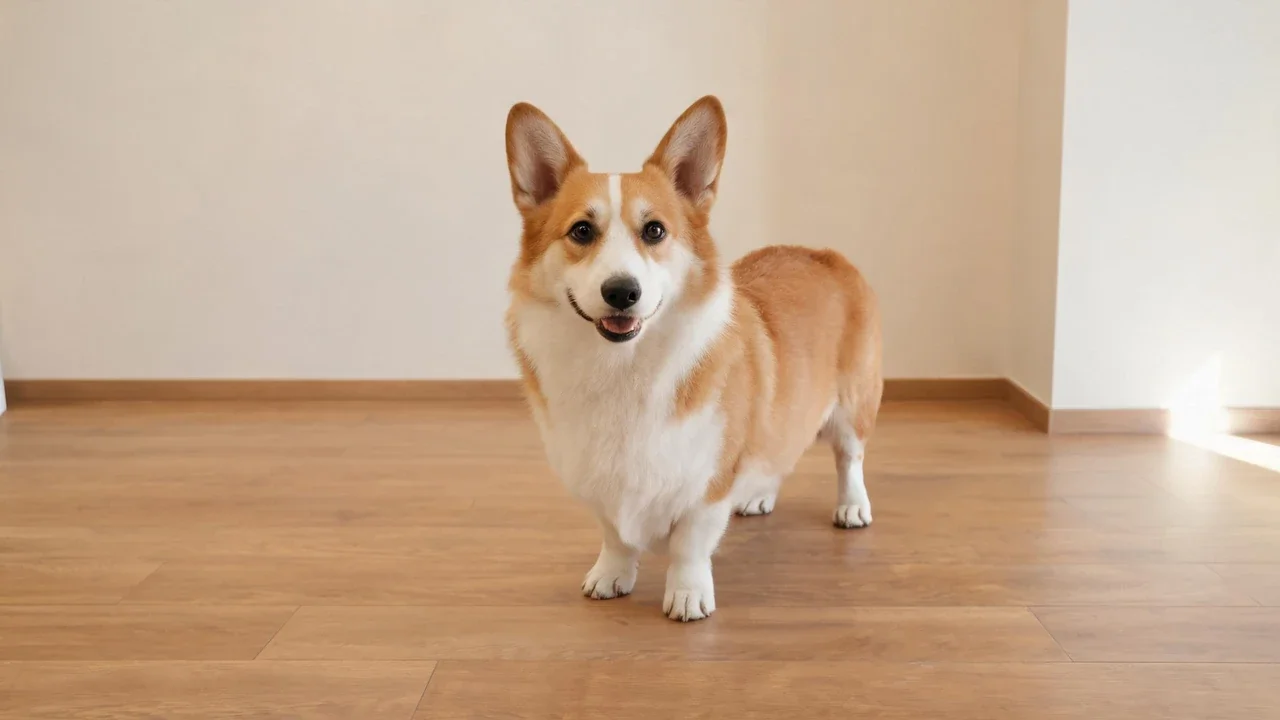
Original corgi photo on a wooden floor, ready for an AI Christmas portrait transformation.
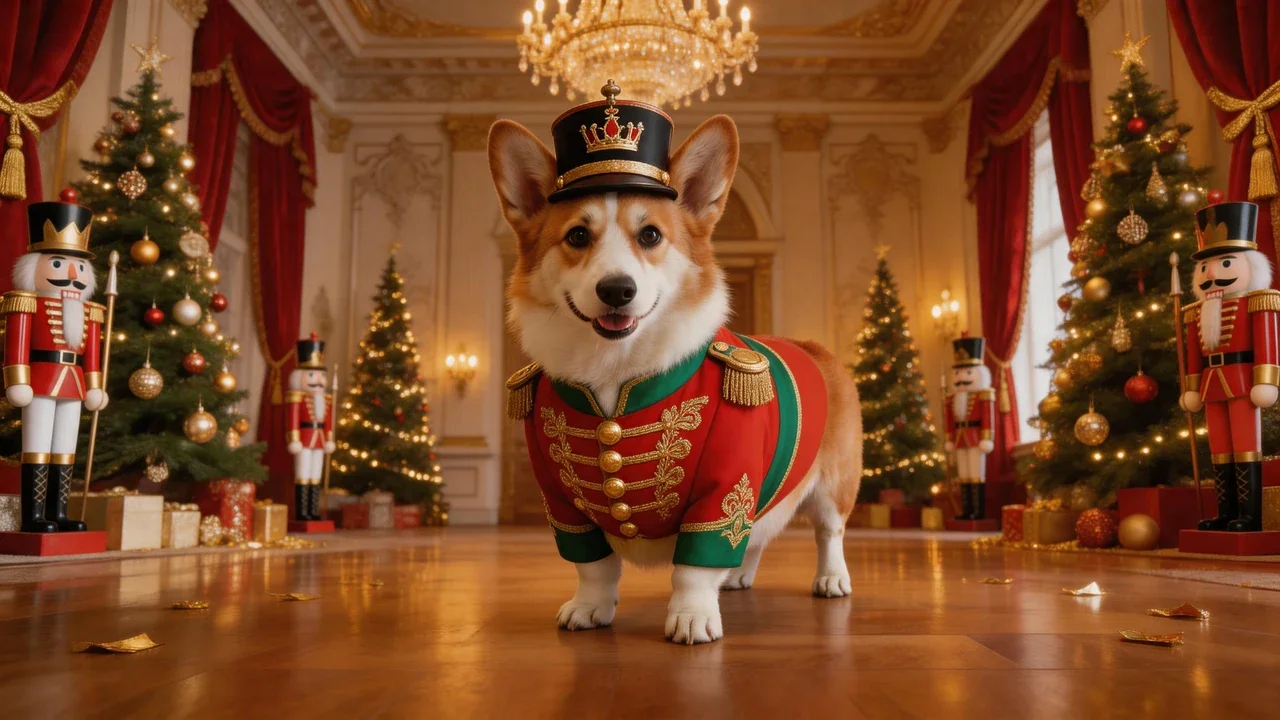
The same corgi reimagined as a royal Nutcracker soldier in an ornate Christmas palace.
Turn an ordinary pet photo into a festive Christmas portrait without arranging a studio session or dressing up your pet. This AI Christmas pet photo example transforms a corgi into a royal Nutcracker toy soldier while preserving its recognizable face, upright ears, short legs, and tan and white coat. The original indoor setting is replaced with a grand Christmas palace filled with decorated trees, golden ornaments, and theatrical festive details.
Turn the uploaded corgi photo into a spectacular Nutcracker Christmas fantasy portrait. Preserve the exact same corgi's identity, face, upright ears, short legs, tan and white fur pattern, and body proportions. Transform the dog into a royal nutcracker toy soldier wearing an elaborate red and emerald green military jacket with gold embroidery, decorative golden buttons, a miniature crown hat, and elegant festive details. Place the corgi in a grand European Christmas palace with towering Christmas trees, giant nutcracker figures, golden chandeliers, red velvet curtains, elegant toy soldiers, and sparkling golden ornaments. Rich Christmas colors, luxurious theatrical set design, magical festive atmosphere, cinematic lighting, highly detailed professional holiday portrait photography, no text, no watermark.AI Christmas Pet Photo.An AI Christmas pet photo is more than an ordinary filter. Instead of placing a border or snow overlay on the original picture, an AI generator rebuilds the scene around your pet. The background, lighting, and festive styling change while the animal's recognizable features remain the focus. In this example, an everyday corgi photo becomes a Nutcracker Christmas fantasy portrait, complete with a red and emerald military jacket, gold embroidery, a miniature crown hat, and an elaborate European palace setting. How It Works.Upload one photo of your dog or cat, choose a Christmas style, and preview the generated result before downloading it. A clear source image with the face, ears, and coat markings visible gives the generator more detail to preserve. Most ordinary phone photos can work, even when the original room has no Christmas decorations. Christmas Pet Photo Editor: Generator or Editor?.An AI generator creates a new seasonal scene around your pet while retaining recognizable facial features and markings. An online editor is better for cropping, adding text, arranging layers, or placing overlays on a finished photo. Phone apps offer quick presets and social-friendly crops, but may have export limitations or watermarks. Before choosing a tool, check facial consistency, export resolution, watermark rules, and whether an account is required to preview the result. Dog Christmas Photo Generator.Dogs often work well with front-facing or three-quarter photos taken in natural daylight. Look closely at the eyes, muzzle, ear shape, and fur edges when reviewing the output. These details help distinguish your own dog from a generic festive character. The corgi Nutcracker portrait demonstrates how clothing, accessories, lighting, and an elaborate Christmas environment can be added without changing the dog's basic appearance. Cat Christmas Photo Generator.Cats need particular attention to fine details. Choose a sharp source photo with open eyes, visible whiskers, and the entire head inside the frame. Check that the pupils, ear tips, whiskers, and coat patterns remain consistent. Long-haired cats benefit from clear source images because individual strands of fur are harder to reconstruct accurately. AI Pet Portrait Christmas Styles.Popular styles include classic studio portraits with warm backdrops, cozy indoor scenes with Christmas trees and fireplaces, snowy outdoor settings with cool lighting, and editorial minimal portraits with simple backgrounds. Choose a style that complements the original photo and does not compete with your pet's markings. What Stays the Same.A good result should preserve the face, coat colour, distinctive markings, body proportions, pose, and expression. The background, lighting, seasonal props, and overall atmosphere can change. Details that are missing or hidden in the original photograph cannot always be recreated accurately. Frequently Asked Questions.Can I use a photo of any pet? Dogs and cats are suitable subjects, provided the source image clearly shows the animal. Can I upload multiple pets? One pet per generation is generally easier to review; separate generations can help maintain facial consistency. How long does it take? Generation usually takes under a minute per image, depending on the styles tried. Can I use the result for a card or print? Choose the largest available export and check the applicable licence terms, especially for commercial use. Do I need to install software? The generator runs in a browser, so you can use a photo from your phone or computer.
Most pet christmas photo searches end in the same place: a phone roll full of pictures you already love, and no seasonal version of any of them. No studio booking, no queue for a Santa photo, no cat that has to cooperate for longer than four seconds.
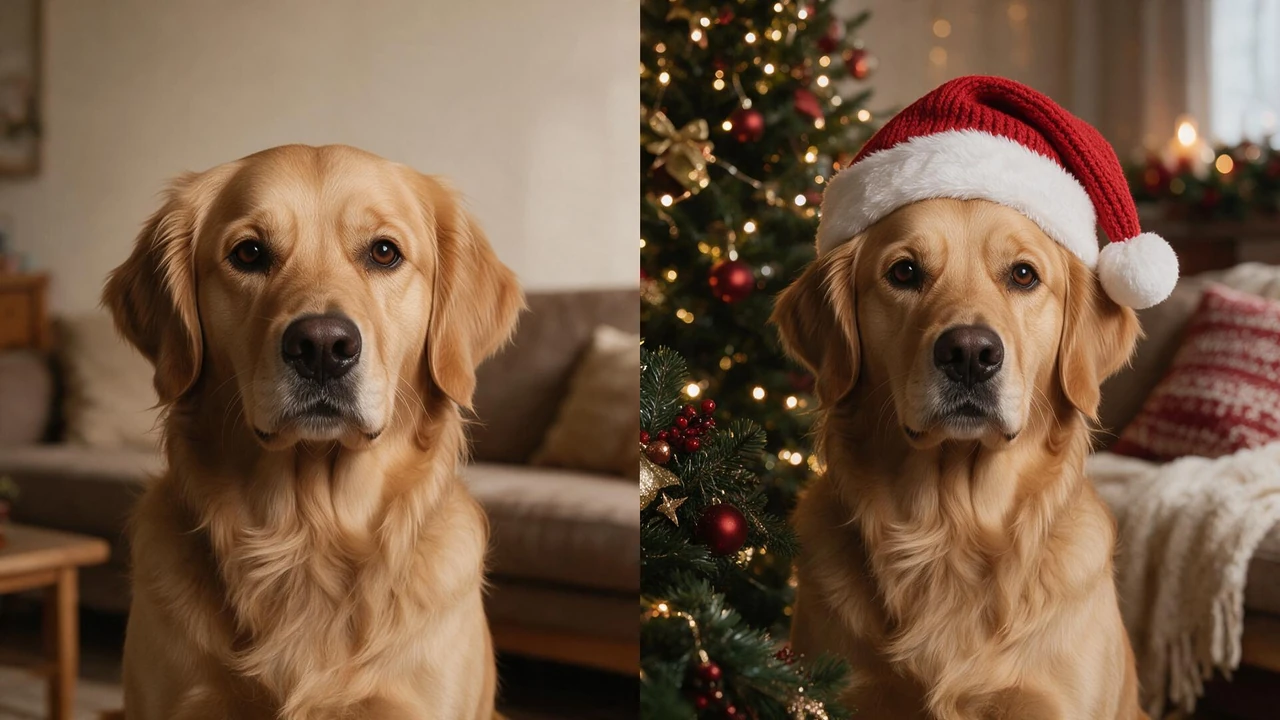
ai-christmas-pet-photo-generator-before-after.webphttps://assets.img-img.net/image/ai-christmas-pet-photo/ai-christmas-pet-photo-generator-before-after.webpSelect the prompt text below and copy it into your AI image generation tool.
You need one photo. Upload it, choose a Christmas scene, and the same animal comes back — same face, same markings, same tilt of the head — with the room, the light and the styling rebuilt around it.
A generated pet christmas photo is not a filter. A filter drops a border, a garland or a snow overlay on top of the original pixels, and the result always reads as a photo with something added to it. Here the picture is rebuilt: the scene behind your pet is replaced, the lighting matches that new scene, and the pose stays exactly where it was.
Three different kinds of tool turn up when people go looking, and they are not interchangeable. Picking the wrong one is the usual reason a result disappoints.
| Type | What it actually does | Keeps your original photo | Best for |
|---|---|---|---|
| AI generator | Rebuilds the whole scene around your pet | Face and fur kept, setting replaced | Making a new Christmas image from an ordinary photo |
| Online editor | Crop, overlays, text, layers | Fully kept | Laying out a photo you already consider finished |
| Phone app | Quick presets, social crop | Mostly kept, often watermarked | A fast share, not a keeper |
Dogs are the easy case — and the case where a weak tool exposes itself immediately. The hat floats a centimetre above the ears instead of sitting on them, the fur edge picks up a pale halo, the eyes go glassy and flat.
That is the whole test. Ears, muzzle, the set of the eyes, the collar line. If a tool gets those wrong, the picture is no longer your dog, and no amount of good background fixes it.
Most dog photos already on a phone are usable: front-facing or three-quarter, taken in daylight, with the head clearly separated from whatever is behind it. A busy sofa or a dark kitchen is fine — that setting is the part being replaced. For a funnier result, styles with a knitted scarf, a hat or a slightly ridiculous pose work well on breeds with strong features, because there is more face to work with.
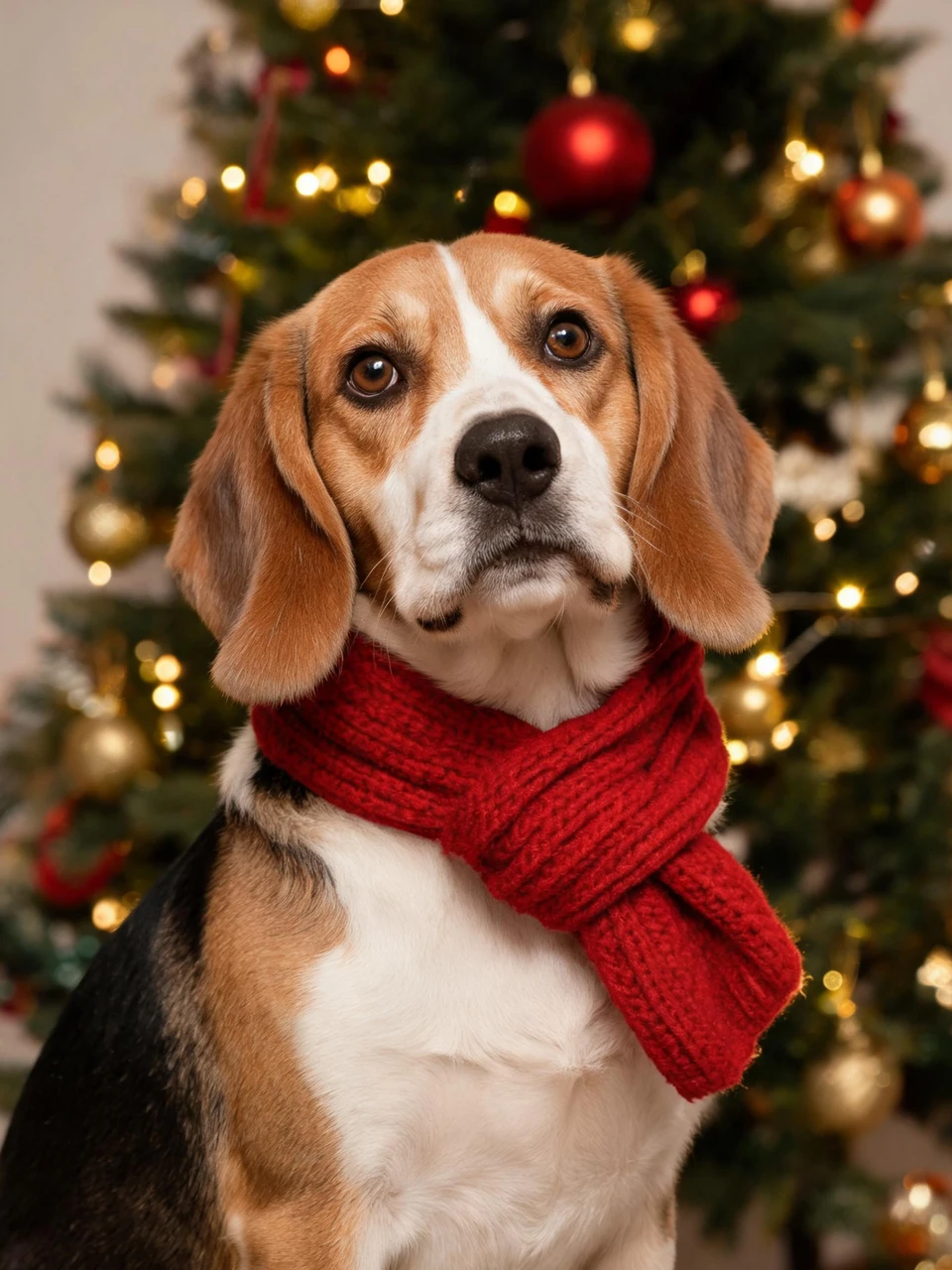
funny-dog-christmas-photo-generator.webphttps://assets.img-img.net/image/ai-christmas-pet-photo/funny-dog-christmas-photo-generator.webpSelect the prompt text below and copy it into your AI image generation tool.
Cats are the harder case, and the failure is always in the details. Whiskers that stop halfway across the frame. Pupils that lose their shape and go uniformly dark. Ear tips that melt into the scenery behind them. A tabby whose stripes quietly rearrange themselves.
The input matters more here than with dogs. Face the camera or close to it, eyes open, good light on the face, and the whole head inside the frame. If the ears are cropped in the original, they will be invented rather than restored. Long-haired cats benefit from a sharper source photo, because every strand of the ruff has to be reconstructed rather than blended.
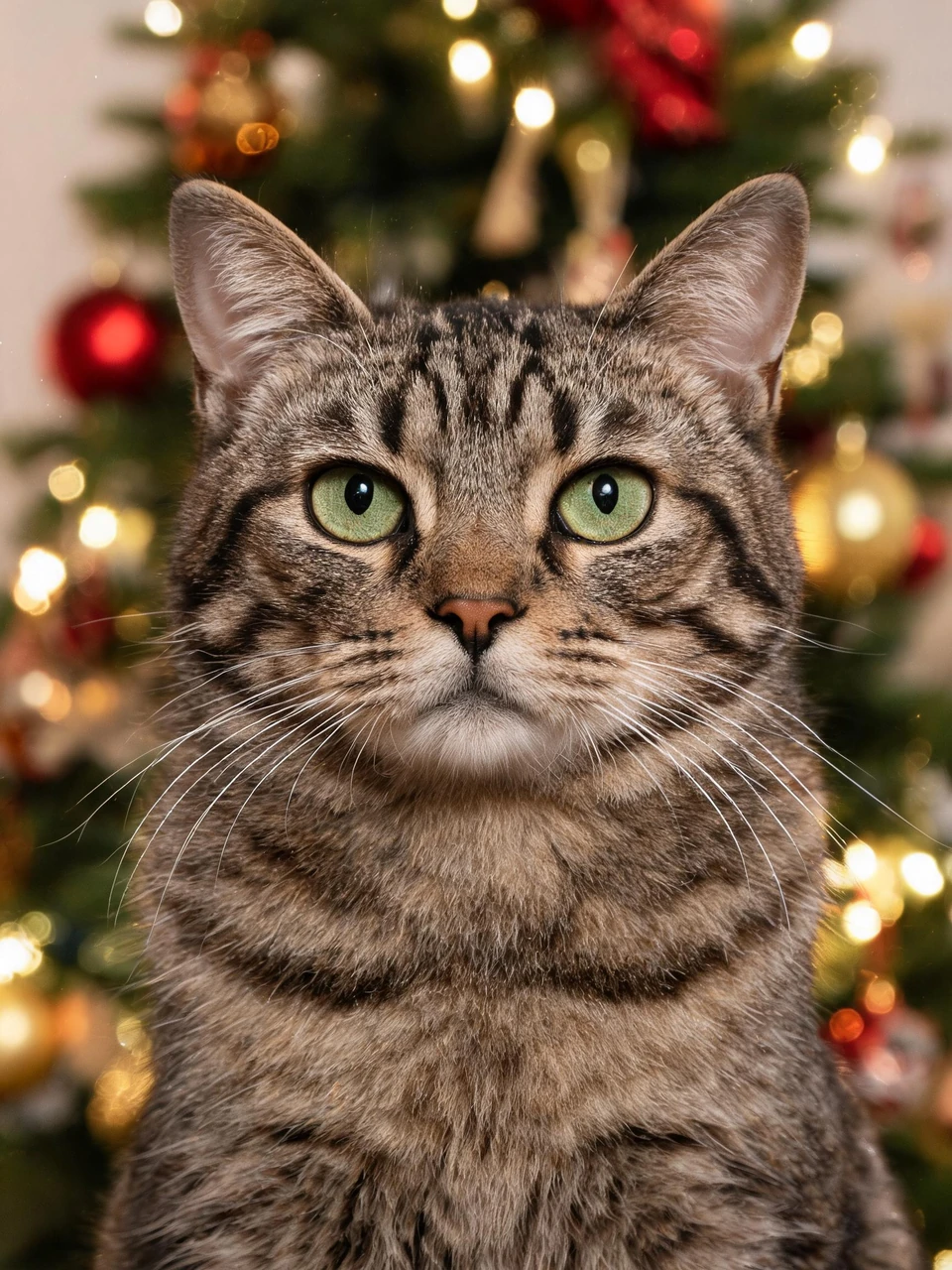
ai-cat-christmas-photo-generator.webphttps://assets.img-img.net/image/ai-christmas-pet-photo/ai-cat-christmas-photo-generator.webpSelect the prompt text below and copy it into your AI image generation tool.
One photo is the entire input. If this has been on hold because the perfect picture never exists — everybody still, the tree in frame, decent light — that is exactly the problem this solves. The original only has to be sharp and readable. The Christmas part gets built afterwards.
Want the whole frame turned into a Christmas scene in one pass? The AI Christmas Photo Generator takes the photo you already have and returns the finished image, so there are no layers to line up and no cut-out edges to clean by hand.
Two pets work best as two separate generations. A single photo with two animals in it often produces one convincing face and one approximation, and the second one is the first thing a viewer notices.
Styles generally fall into four families, and each one suits a different kind of original photo.
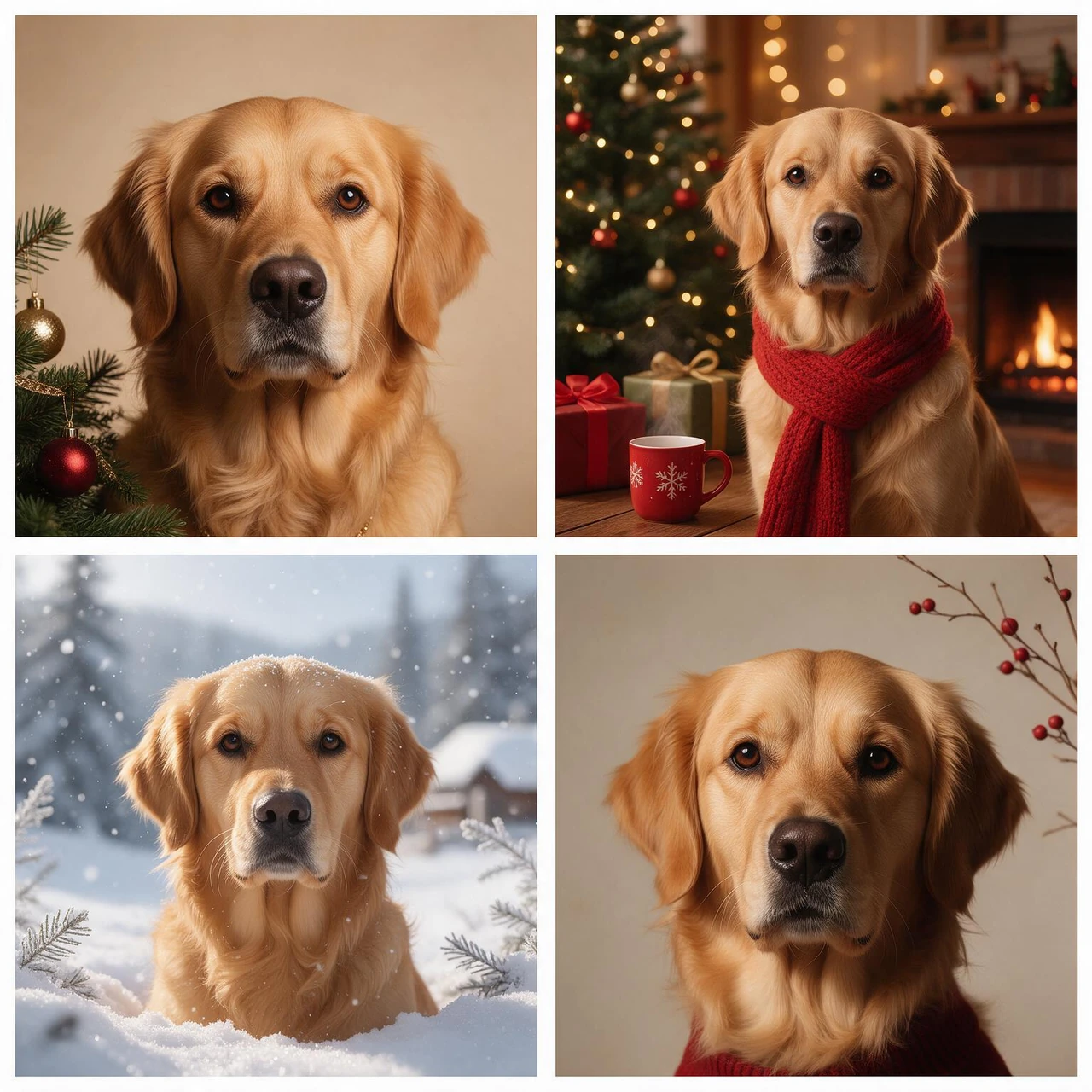
ai-pet-portrait-christmas-styles.webphttps://assets.img-img.net/image/ai-christmas-pet-photo/ai-pet-portrait-christmas-styles.webpSelect the prompt text below and copy it into your AI image generation tool.
Kept: face and markings — the blaze on the forehead, the white sock on one paw, the notch in one ear. Pose and framing. Coat colour and texture. The expression, which is usually what people recognise first.
Changed: the background, the light, the props, the season. The room behind your pet is replaced entirely, which is why the original setting does not need to be tidy or festive.
Not kept: anything outside the frame in the source photo, and anything the source photo never showed clearly. A collar that was cut off at the edge will not come back. A blanket covering the chest stays covered.
You can upload a photo and see a result before deciding. Free output may carry a watermark or export at a smaller size than the paid download.
Yes. Cats need a sharper source photo than dogs because of the whiskers and the fine fur around the face, but the same one-photo input applies.
One photo per generation is the intended input. For two pets, run two generations — a combined photo tends to give one strong face and one weak one.
Usually under a minute per image, depending on how many styles you try.
That is the point of the whole thing. Check the eyes, the ear shape and the markings — if those survive, it is your pet in a new scene rather than a generic animal wearing a hat.
Yes. Choose the largest export available, and check the licence terms for commercial use if the card is being sold rather than given away.
No. It runs in the browser on a phone or a laptop, and the photo comes straight from your camera roll.
You already have the photo. One upload is all it takes to see your dog or cat in a Christmas scene that keeps the face you know — no studio, no appointment, and no pet that has to hold still.
Ready to see it? The Christmas photo generator is where the image gets made.
Create Your Christmas Pet Photo